
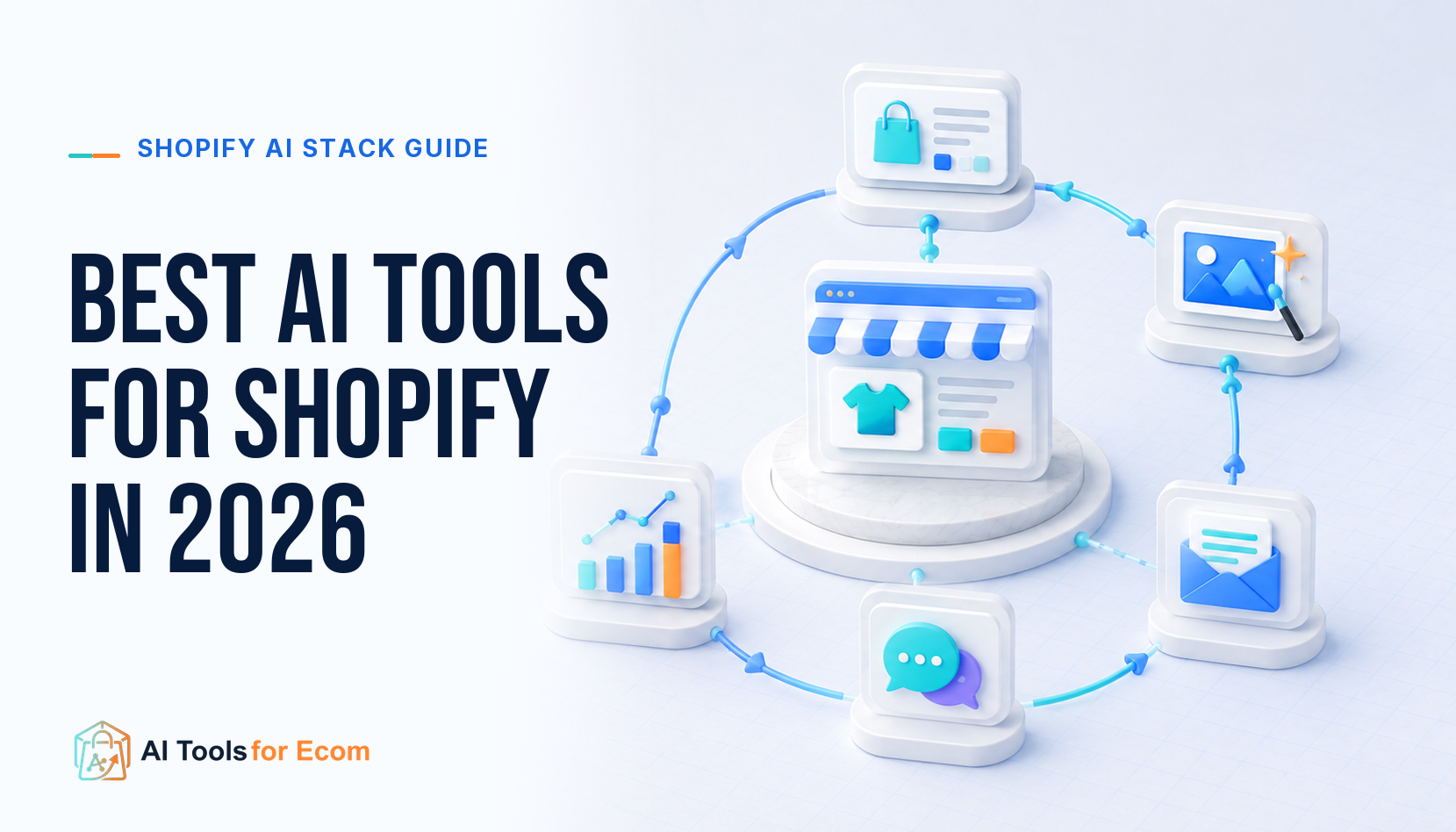
The best AI tools for Shopify in 2026 are Shopify Magic and Sidekick for the native operating layer, ConvertMate for catalog-content optimization, Replo for high-cadence campaign pages, Klaviyo for mature lifecycle marketing, Rebuy for Shopify-focused cart and merchandising workflows, Gorgias AI Agent for support and approved order actions, and Triple Whale when a recurring cross-channel decision justifies another data layer.
Direct answer: start with Shopify’s native AI and add one specialist only after naming the operating gap. Judge every app by what Shopify data it reads, what it can write or execute, where it changes the storefront, how quickly data syncs, which checkout surfaces it can reach, what happens at uninstall, and how its billing unit grows. Deep integration is valuable only when permissions, ownership, testing, and rollback deepen with it.
This Shopify Guide Has a Deliberately Narrow Scope
This page owns Shopify integration depth by workflow and growth stage. It is not another cross-platform ecommerce roundup and it does not allocate a small-store software budget. For broad workflow choices across ecommerce platforms, use the best AI tools for ecommerce guide. For spending ceilings and native-first choices at an early store, use the small Shopify store budget guide.
The question here is narrower: once Shopify is the commerce system, which AI tool deserves access to which part of the operating model? A store should not install every recommendation. Each added app creates data flows, permissions, scripts or extensions, training, review work, a billing unit, and an exit task.
Quick Picks by Shopify Workflow and Growth Stage
| Stage and gap | Starting option | Shopify integration depth | Proof metric | Stop condition |
|---|---|---|---|---|
| Foundation: routine store work | Shopify Magic and Sidekick | Native access to supported Shopify context and workflows | Accepted work, correction rate, and operator minutes saved | No measured saving after review, or consequential changes lack clear approval |
| Catalog growth: content quality at SKU scale | ConvertMate | Reads Shopify catalog data for supported content and optimization agents | Approved product-field updates and organic-discovery tasks completed | Agents alter unapproved fields or cannot trace changes to source records |
| Acquisition growth: campaign page bottleneck | Replo | Product sync and publishing into Shopify theme or Shopify-connected checkout workflows | QA-passed pages and time from brief to controlled launch | Insufficient campaign cadence, theme regressions, or no valid page tests |
| Retention growth: behavior-driven lifecycle | Klaviyo | Shopify events, catalog, customer and consent-related sync, onsite tracking, and profile write-back options | Incremental flow value plus deliverability and list-health guardrails | Duplicate automations, consent mismatch, or maintenance exceeds value |
| Conversion growth: cart and merchandising | Rebuy | Shopify-focused cart, recommendation, merchandising, discount, and eligible checkout extensions | Holdout-tested contribution after discounts, returns, and app cost | Cart conflicts, unstable discount behavior, or no incremental value |
| Support scale: repeated pre- and post-purchase work | Gorgias AI Agent | Shopify customer, product, and order context plus configurable supported actions | Non-reopened resolutions, escalation quality, CSAT, and action accuracy | Wrong policy answers, unsafe order actions, or weak human handoff |
| Measurement scale: unresolved cross-channel decisions | Triple Whale | Shopify and channel integrations normalized into an additional analytics layer | Reconciled reports and faster named decisions | Data does not reconcile or dashboards do not change a repeated decision |
The sequence is conditional. A subscription brand may need lifecycle operations before campaign pages. A large support queue may justify Gorgias before personalization. Growth stage is defined by operating complexity and evidence, not by a generic revenue label.
The SHOPIFY-7 Integration Test
Before installation, score the proposed workflow from 0 to 2 on seven integration dimensions. The total is a comparison aid; permissions, customer harm, product truth, and checkout reliability remain hard gates.
| Dimension | Question before install | Evidence during pilot |
|---|---|---|
| Source data | Which products, variants, customers, orders, events, content, or analytics can the app read? | Field inventory, freshness, missing records, and source-of-truth conflicts |
| Write-back and actions | Can it edit products, publish pages, update profiles, apply discounts, refund, cancel, or change addresses? | Approval logs, action accuracy, exceptions, and rollback |
| Theme and storefront | Does it use app blocks, scripts, generated assets, templates, or replace a native cart? | Mobile behavior, performance, duplicate code, theme compatibility, and cleanup |
| Catalog and event sync | What syncs, in which direction, and how are deletions, variants, locales, and late events handled? | Latency, mismatches, duplicates, backfills, and reconciliation |
| Checkout boundary | Which cart, checkout, post-purchase, account, and Shopify Plus surfaces are supported? | Real plan eligibility, discount behavior, test orders, and failure states |
| Ownership and permissions | Who can configure, approve, publish, and execute consequential actions? | Least privilege, named owners, review queues, and incident access |
| Exit and economics | What billing unit grows, what data can be exported, and what survives uninstall? | Full operating cost, cancellation path, residual code, broken workflows, and recovery |
Shopify explicitly warns that some apps add theme code that is not automatically removed on uninstall, external charges may continue separately, dependent workflows stop, and app-stored data may not be recoverable. Make the exit test part of selection, not an afterthought.
Stage 1: Use Shopify Magic and Sidekick as the Native Operating Layer
Official fact: Shopify describes Magic as a suite of AI features integrated across store building, marketing, customer support, and back-office work. Its documented uses include text suggestions for product descriptions, email subject lines, headings, pages, and other supported interfaces, plus media and additional administrative features. Shopify states that generally available Magic features are available across plans, while individual access can still vary.
Sidekick is Shopify’s AI commerce assistant inside the admin. Shopify documents guidance, content generation, store analysis, and supported task completion in natural language. In 2026 Shopify also documents generated administrative apps on eligible plans, with permissions and uninstall controls like other apps. Availability, plan requirements, language, and the exact actions Sidekick can perform can change.
Use the native layer for low-risk drafting, investigation, routine analysis, and supported store tasks that already end in human review. Keep product facts, policy terms, price, inventory, and approved claims in maintained Shopify records. Require explicit review before customer-facing publishing, theme changes, discounts, app installation, customer messages, or other consequential actions.
Do not add a specialist until a four-week log shows a repeated gap: task volume, current minutes, error rate, owner, required integration, and decision value. Native tools have passed when accepted work improves without raising factual corrections or incident risk.
Stage 2: Add ConvertMate When the Catalog Becomes the Bottleneck
Official fact: ConvertMate’s Shopify integration documentation says the connection lets its agents access product catalog data for supported description, title, metadata, performance-analysis, and marketing-automation work. The connection uses Shopify authorization rather than asking the merchant to share a store password or hand-built API key.
Choose ConvertMate when the store already has stable products and the repeated gap is improving or maintaining product content across the Shopify catalog. Define a field contract: which source fields an agent may read, which draft fields it may propose, which fields require merchandising approval, and which fields are locked. Keep variant identity, price, inventory, compliance data, and operational policies outside unconstrained generation.
Run a representative SKU pilot and compare approved updates, correction categories, organic landing-page visibility, and reviewer time with the prior process. Stop if agents cannot preserve structured data, if catalog changes lack a usable record, or if “optimization” becomes uncontrolled rewriting. Use a locked truth pack and measure accepted output rather than generated volume at this stage.
Stage 2: Add Replo When Campaign Pages Are Waiting on Production
Official fact: Replo documents a Shopify integration that can sync products and publish landing pages, sections, and product templates to Shopify workflows. Replo’s product now includes both Shopify theme-oriented building and standalone funnel experiences with Shopify checkout integration, so verify which product and publishing path the team is evaluating.
Choose Replo when a paid-acquisition or launch team repeatedly has an approved brief, traffic, analytics, and a valid page hypothesis but cannot ship QA-passed pages quickly enough. Establish reusable product, proof, offer, policy, and analytics components. Test mobile layout, variants, selling plans, inventory, discounts, forms, pixels, consent, accessibility, page speed, theme compatibility, and rollback on the actual store.
A builder does not prove conversion lift. Measure time to a QA-passed page, production defects, storefront performance, and valid experiments launched. Stop if campaign volume is low, if pages drift from the Shopify source of truth, or if theme repair becomes routine. See Replo vs GemPages for Shopify landing pages for the focused builder decision and the 30-day ecommerce product launch guide for launch sequencing.
Stage 2: Add Klaviyo When Lifecycle Data Has an Owner
Official fact: Klaviyo documents a Shopify integration that brings in supported customer, catalog, order, and behavioral data for segmentation and flows. Current documentation also describes options to sync profile fields, custom properties, subscription statuses, and events back to Shopify. Deleting a profile in one system does not automatically delete it in the other, which illustrates why two-way integration is not the same as one source of truth.
Choose Klaviyo when consent, event quality, sending identity, deliverability, segmentation, and flow maintenance already have named owners. Begin with a few customer journeys whose triggers, exclusions, delays, offers, market rules, frequency caps, and stop rules are written before AI assists with copy or segmentation.
Measure deliverability, complaints, unsubscribes, flow maintenance, and incremental value using holdouts where practical. Platform-attributed revenue is operational evidence, not automatic causal proof. Stop duplicate Shopify and Klaviyo automations before launch, and pause on consent or suppression mismatches. Compare the detailed Klaviyo vs Omnisend guide before choosing a primary lifecycle platform.
Stage 3: Add Rebuy When Cart and Merchandising Complexity Justify It
Official fact: Rebuy documents Shopify-focused Smart Cart, recommendation, merchandising, bundle, discount, search, collection, post-purchase, and testing workflows across current packages. Its Smart Cart replaces the native cart experience; existing cart customizations do not carry over automatically. Rebuy also documents that checkout extension placement differs by surface and that some checkout placements are available only to Shopify Plus merchants.
Choose Rebuy when a merchandising owner can state which cart, product, checkout, or post-purchase decision needs personalization and when the store has enough eligible traffic or orders to evaluate it. Start with one placement and one decision rule. Use a holdout where practical, reconcile discounts and refunds, and track margin rather than gross attributed revenue.
Rebuy’s current pricing page uses orders per month as a key billing input and offers packages with different surfaces. Price the expected order tier and required package, not the smallest displayed entry point. Stop if Smart Cart conflicts with the theme or existing apps, discount behavior is unstable, checkout access does not match the Shopify plan, or incremental contribution does not exceed app and operating cost.
Stage 3: Add Gorgias When Support Requires Shopify Actions
Official fact: Gorgias documents a Shopify connection that places customer, order, shipping, purchase, and product context beside support conversations. Its AI Agent can use store knowledge for pre- and post-purchase conversations and can be given configurable actions from connected systems. Documented Shopify actions include tasks such as canceling an order or editing a shipping address, with conditions and optional customer confirmation.
Depth creates risk. Gorgias warns that action tests use real connected-app data and recommends a test customer profile. Start with read-only answers and narrow, reversible workflows. Require human escalation for safety issues, legal complaints, ambiguous product advice, high-value exceptions, policy conflicts, suspected fraud, and any action outside the approved rule.
Measure non-reopened resolutions, escalation accuracy, CSAT, policy errors, wrong actions, and total cost per resolved conversation. Gorgias currently prices the helpdesk by ticket-volume tiers rather than per support agent and charges AI Agent based on resolved conversations. Verify definitions and current terms. Stop if automation rate rises while reopenings, corrections, or customer harm also rise.
Stage 3: Add Triple Whale Only for a Named Analytics Decision
Official fact: Triple Whale documents integrations including Shopify, Amazon, advertising channels, logistics, subscriptions, and other ecommerce systems. Its data documentation describes a canonical schema that combines supported external sources with first-party inputs such as its pixel and post-purchase survey. Its broader product includes reporting, attribution, customer and product analysis, and Moby-assisted workflows, with plan-dependent access.
Choose Triple Whale only when the team can name a repeated question that Shopify, finance records, channel reports, and existing analytics cannot answer reliably enough. Write the decision, metric definition, source systems, owner, refresh requirement, action, and economic value before connecting another data layer.
Reconcile orders, refunds, discounts, taxes, shipping, channel spend, and time zones before trusting a dashboard. Attribution models are estimates, not causal proof. Stop if numbers cannot be reconciled within an agreed tolerance or if weekly reports do not change an actual decision. Use the Triple Whale vs Polar Analytics comparison or the Triple Whale alternatives guide for the dedicated analytics purchase.
Catalog Truth and Claims Controls Across the Shopify Stack
The more connected the stack becomes, the easier it is for one unsupported statement to travel from a product record into a landing page, lifecycle flow, recommendation, support answer, and report annotation. Create one claims register with the statement, product and variant, source, conditions, approved wording, prohibited shortening, owner, markets, channels, and review date.
| Layer | May propose | Must read from source | Human approval |
|---|---|---|---|
| Catalog content | Structure, phrasing, metadata drafts, and supported use-case explanations | Identity, attributes, variants, quantity, compatibility, compliance, and evidence | Merchandising or product owner |
| Campaign page | Message hierarchy, layouts, and approved copy variants | Product, offer, inventory, shipping, returns, and legal terms | Growth, product, legal, and QA owners as applicable |
| Lifecycle | Draft copy, subject lines, and analysis suggestions | Consent, suppression, events, offers, market rules, and customer status | Lifecycle and deliverability owner |
| Cart and merchandising | Recommendation candidates and test hypotheses | Availability, variant, margin, discount eligibility, and checkout rules | Merchandising and commerce QA |
| Support | Answers and eligible next actions within approved skills | Order state, policy, product facts, identity, and action conditions | Support owner; human for exceptions |
| Analytics | Summaries, anomaly questions, and decision options | Reconciled revenue, refunds, costs, definitions, and source dates | Analyst or finance owner |
No AI output approves itself. Dynamic commercial values should come from current Shopify or connected systems rather than a reusable prompt. When two systems disagree, pause the downstream automation until the source owner resolves the conflict.
A 30-Day Shopify Integration Pilot
- Days 1–3: name one gap, owner, baseline, required Shopify data, allowed write-back, proof metric, guardrail, and cancellation date.
- Days 4–7: review requested access, document data destinations and billing units, back up affected content, and define rollback.
- Days 8–12: configure one narrow workflow in a duplicate theme, draft state, test segment, test customer, or limited product set.
- Days 13–20: run real approved work; record sync delays, corrections, customer impact, staff minutes, app usage, and downstream conflicts.
- Days 21–25: test routine failures—out-of-stock products, changed variants, invalid discounts, missing events, stale policies, failed syncs, and human escalation.
- Days 26–28: compare the full workflow with the baseline and reconcile vendor reports with Shopify and financial records.
- Days 29–30: keep, narrow, replace, or cancel; export required data, remove test assets, verify billing, and document residual code or dependencies.
A pilot passes only when the named workflow improves after correction and administration are counted. It fails immediately on unacceptable product claims, consent violations, unauthorized actions, checkout defects, customer harm, or an unusable rollback—even if the aggregate score is high.
Model the Cost by Billing Unit, Not Sticker Price
| Tool layer | Typical current billing dimension to verify | Hidden operating cost |
|---|---|---|
| Shopify native AI | Included access plus feature- or plan-dependent availability | Review, permissions, and operator training |
| Catalog optimization | Plan, product volume, agent usage, or custom terms | Source cleanup and field approval |
| Landing pages | Plan, published surfaces, sessions, collaboration, or AI usage | Design system, QA, theme maintenance, and performance |
| Lifecycle | Active profiles, sends, channels, or products | Consent, deliverability, creative, segmentation, and flow maintenance |
| Personalization | Orders per month, packages, and eligible surfaces | Merchandising, discounts, app conflicts, and experimentation |
| Support | Helpdesk ticket volume, AI-resolved conversations, voice, or SMS usage | Knowledge upkeep, escalations, QA, and exception handling |
| Analytics | Plan, GMV or business scale, data, and automation access | Implementation, metric governance, reconciliation, and decision meetings |
Price the expected operating level and billing term. Add internal labor, implementation, partner fees, discounts funded, message or channel charges, overages, failed outputs, and exit work. A vendor-attributed revenue figure is not a cost model.
Shopify App Stop Conditions and Clean Exit
- Pause immediately when an app changes an unapproved field, publishes an unsupported claim, sends without valid consent, or performs the wrong customer or order action.
- Roll back when mobile storefront behavior, cart, discounting, checkout, analytics events, accessibility, or page speed breaches the agreed guardrail.
- Narrow the workflow when the data required is broader than the decision value or when human review cannot keep up with automated output.
- Cancel when total cost per accepted output or resolved decision does not beat the baseline by the end of the pilot.
- Export approved content, templates, reports, consent and suppression data, and configuration records before uninstalling.
- Check external billing separately, remove residual theme code or app blocks where required, revoke integrations, and verify that dependent flows fail safely.
For visual production tied to Shopify, see the Shopify product URL to AI video ad workflow and the AI product photography guide. These are narrower production guides, not reasons to add more apps to every store.
Frequently Asked Questions
What is the best AI tool for Shopify?
Start with Shopify Magic and Sidekick because they are native to the platform and cover several routine workflows. Add one specialist only when a measured gap remains: ConvertMate for catalog content, Replo for campaign pages, Klaviyo for lifecycle, Rebuy for merchandising, Gorgias for support, or Triple Whale for a named analytics decision.
Which Shopify AI tools should a new store install?
A new store should usually install none by default. Establish product truth, theme stability, consent, analytics, support policies, and operating baselines with Shopify’s native capabilities first. The separate small-store budget guide owns detailed early-stage allocation.
Does Shopify include AI tools?
Yes. Shopify documents Magic and Sidekick as native AI-powered tools, with generally available Magic features across plans and feature-specific availability or plan conditions. Review current documentation for the exact account and task.
Which AI tool is best for Shopify product descriptions?
Shopify Magic is the lowest-integration starting point for individual drafts. ConvertMate targets Shopify-connected catalog optimization, while specialist catalog platforms may fit larger bulk workflows. Use the product-description guide’s controlled source pack and accepted-output test.
Is Rebuy available on every Shopify checkout?
No single statement covers every surface. Rebuy documents different cart, checkout, post-purchase, thank-you, order-status, and account placements, and some checkout placements require Shopify Plus. Verify the exact extension, Shopify plan, and theme before purchase.
Can Gorgias AI Agent edit Shopify orders?
Gorgias documents configurable actions such as canceling an order or editing a shipping address when Shopify is connected. Conditions, customer confirmation, test data, permissions, and human escalation should constrain those actions.
When does a Shopify store need Triple Whale?
Only when a recurring, valuable cross-channel decision remains unresolved after Shopify, financial records, channel reports, and current analytics are reconciled. Another dashboard is not useful unless it changes a named decision.
How many Shopify AI apps should a store use?
As few as can own distinct workflows. Two apps that generate similar copy, run duplicate lifecycle flows, replace the same cart, or report the same decision create conflicts and cost. A short comparison should end with one owner or no purchase.
Primary Official Sources
Current Shopify integration and operating checks used the Shopify AI-powered tools overview, Shopify Magic documentation, Shopify Sidekick documentation, Shopify app uninstall guidance, and Shopify permissions reference. Product-specific checks used ConvertMate’s public integration catalog; Replo’s Shopify integration documentation and pricing page; Klaviyo’s Shopify data-sync documentation and pricing page; Rebuy’s Smart Cart documentation, widget and checkout reference, and pricing page; Gorgias’s Shopify integration guide, AI Agent actions documentation, and pricing page; and Triple Whale’s data documentation, integration catalog, and pricing page.
Editorial method: This independent guide evaluates provider-documented Shopify integration depth by workflow and operating maturity. Official pages establish current capabilities, surfaces, data flows, actions, billing units, and plan constraints; vendor claims about speed, revenue, conversion, accuracy, ROI, or other outcomes are not treated as independent proof. We did not conduct or claim a controlled hands-on comparison, and this is not a sponsored ranking. SHOPIFY-7, the field and action contracts, 30-day integration pilot, claims register, cost model, and stop conditions are editorial frameworks. Last reviewed: September 2026. Recheck features, plan eligibility, prices, usage definitions, integrations, permissions, privacy terms, checkout restrictions, theme effects, data retention, and uninstall steps before purchase.