
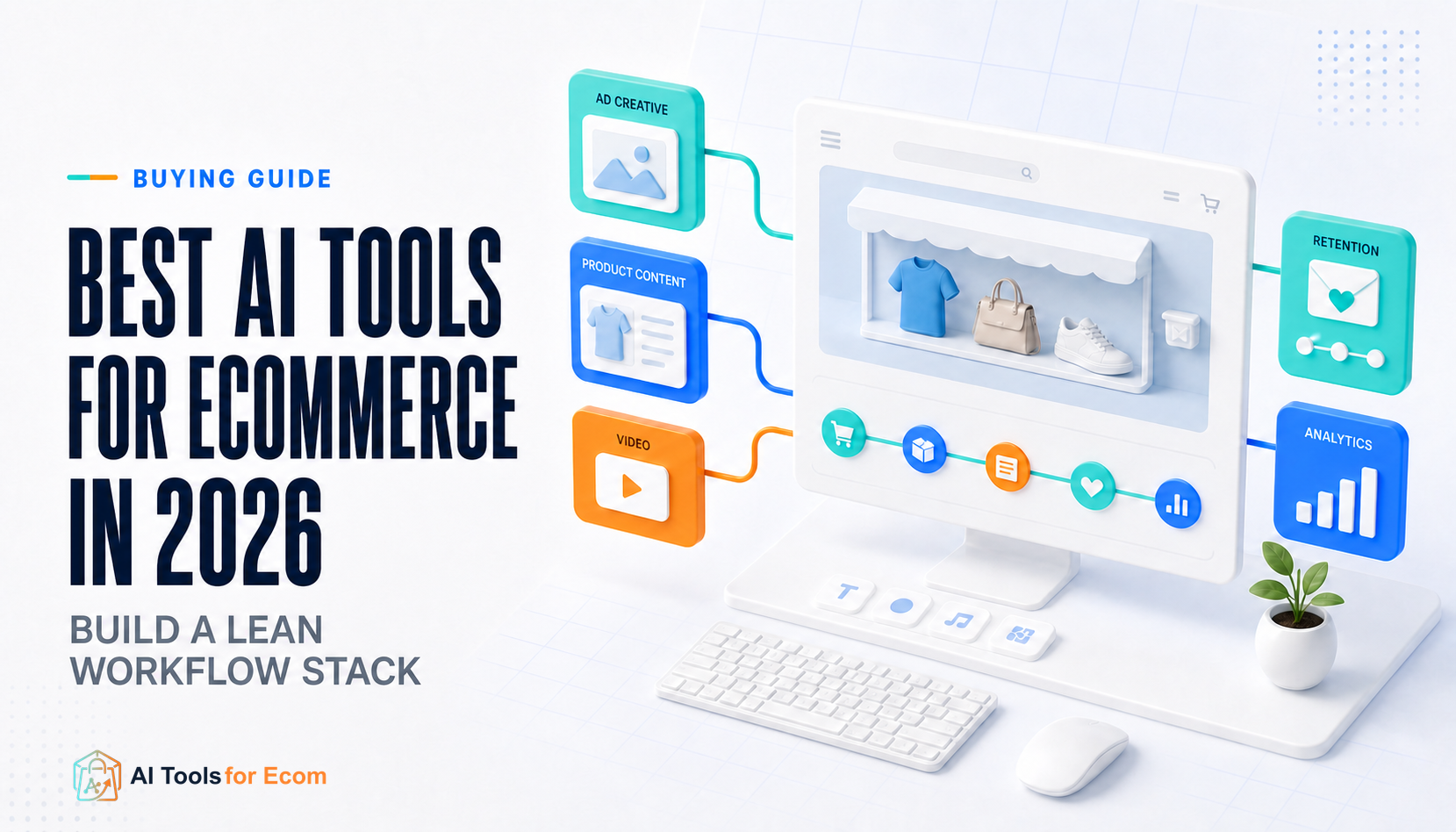
The best AI tools for ecommerce are not the products with the longest feature lists. They are the smallest set that removes a real operating bottleneck without duplicating software, weakening product accuracy, or creating more review work than it saves. Most stores do not need an AI tool for every category. They need one bottleneck, one owner, one tool, and one proof metric.
Quick answer: start with the AI already included in your ecommerce platform. Add AdCreative.ai when paid-social creative throughput is the constraint, PhotoRoom for repetitive catalog imagery, Pippit for product-to-social video, Surfer for controlled SEO production, Replo for campaign landing pages, Klaviyo for lifecycle automation, Gorgias AI Agent for support automation, and Triple Whale when a recurring analytics decision justifies another data system.
Best AI Tools for Ecommerce at a Glance
| Workflow | Representative tool | Buy when | Proof metric |
|---|---|---|---|
| Native baseline | Shopify Magic | The store has not fully tested the AI already included in its platform | Accepted outputs and editing time |
| Ad creative | AdCreative.ai | Approved creative production is limiting valid campaign tests | Approved creatives that reach a controlled test |
| Product images | PhotoRoom | Background, sizing, cleanup, and marketplace formatting repeat across many SKUs | Accepted SKUs per hour and fidelity rejection rate |
| Product video | Pippit | Product pages or catalog assets must become recurring social content | Cost and revision time per approved video |
| SEO production | Surfer | Research and editorial review exist, but briefing and optimization are slow | Briefing time, revision rate, and post-publication search performance |
| Landing pages | Replo | Paid campaigns require frequent, controlled page production | Time to publish, QA failures, mobile performance, and valid experiments |
| Retention | Klaviyo | Consent, event data, deliverability, and flow ownership are ready | Incremental revenue using holdouts where practical |
| Customer support | Gorgias AI Agent | Ticket volume and a reliable knowledge base justify automation | Non-reopened resolutions, escalation rate, CSAT, and cost per resolution |
| Analytics | Triple Whale | A repeated decision cannot be answered reliably by the current stack | Data reconciliation and decision-cycle time |
These are representative workflow choices, not a recommendation to buy all nine. Pricing pages and limits were reviewed in August 2026, but plans, credits, profiles, tickets, sessions, GMV tiers, and promotional prices can change. Confirm the current production tier before purchase.
How We Selected These Ecommerce AI Tools
A useful ecommerce tool must improve a real workflow, not merely generate an impressive demo. Each option in this guide is evaluated against seven questions:
- Workflow fit: Does the tool remove a documented bottleneck with a responsible owner?
- Integration readiness: Can it use the store’s real catalog, events, content, and channels without fragile transfers?
- Accepted-output rate: How much generated work survives product, brand, legal, and channel review?
- Product truth: Can reviewers prevent altered labels, specifications, prices, images, policies, and claims?
- Total production cost: What do credits, profiles, tickets, sessions, revisions, implementation, and staff time cost?
- Governance: Are permissions, approvals, consent, rights, audit records, and rollback options adequate?
- Overlap: Does a platform already owned by the business cover most of this job?
Official product and pricing pages can establish that a feature or billing mechanism exists. They do not prove output quality, implementation effort, incremental revenue, ranking gains, conversion lift, or attribution accuracy for a specific store. Those outcomes require controlled use of the merchant’s own data and workflow.
Start With Shopify Magic or Your Platform’s Native AI
Shopify documents AI-assisted text generation for product descriptions, pages, and email, plus image-editing and other administrative capabilities under Shopify Magic. These features are available through Shopify rather than as a separate AI subscription, although availability varies by feature, language, device, and account. Similar native capabilities may exist in other ecommerce platforms.
Use native AI first for low-risk drafts, background edits, administrative assistance, and repetitive text that already passes through a human review step. Measure how many outputs are accepted, how long editing takes, and which jobs remain unsolved. This creates a baseline before another vendor adds cost, data access, training, and integration work.
Native tools may not provide the specialist controls required for high-volume ad creative, catalog production, multichannel lifecycle automation, or governed analytics. Their purpose in this stack is not to replace every specialist. It is to stop the business from paying twice for a basic capability it has not tested.
1. AdCreative.ai: Best for Paid-Social Creative Throughput
AdCreative.ai combines static and video creative generation, product photoshoots, creative insights, competitor research, and predictive scoring. It is a reasonable specialist when the offer and media strategy already exist but the team cannot produce enough approved concepts, sizes, and variations to run a valid testing program.
Choose AdCreative.ai when creative throughput is the bottleneck—not when the store lacks product-market fit, a clear offer, reliable tracking, or a test budget. Start with a fixed creative brief containing the audience, offer, product evidence, prohibited claims, brand rules, placements, and test hypothesis. Generate a limited batch and send only approved assets into a controlled media test.
Track approved creatives that reach a valid test, revision time, product-fidelity failures, and cost per tested concept. Predictive scores and vendor claims about conversion performance are not independent proof of future results. Keep the ad platform’s outcome data separate from the tool’s internal score and preserve the original brief with each final asset.
Browse more AI ad creative tools for ecommerce.
2. PhotoRoom: Best for Repeatable Product Image Production
PhotoRoom is designed around background removal, retouching, product-image composition, AI backgrounds, batch workflows, collaboration, credits, and plan-dependent integrations and export limits. It fits stores that repeatedly clean supplier photos, create marketplace formats, standardize catalog images, or produce campaign variations from approved product assets.
Choose PhotoRoom when the current process involves many SKUs and predictable image operations. Build templates for background, crop, shadow, logo, dimensions, and channel-safe areas. Assign a product reviewer who can reject altered labels, missing accessories, incorrect colors, distorted proportions, invented texture, or scenes that imply a use the product does not support.
The correct metric is accepted SKUs per hour, not images generated. Include rejected outputs, credit use, manual repair, team seats, storage, resolution, and export requirements in the cost model. A batch workflow is valuable only when product truth remains intact across the batch.
Compare more AI product photo tools.
3. Pippit: Best for Product-to-Social Video Workflows
Pippit is built around ecommerce-oriented inputs and outputs. Its official materials describe product-link, image, and document inputs; generated scripts and scenes; editing; export; product management; social publishing; product tagging; and analytics. This makes it useful when the same team repeatedly turns product pages or catalog assets into short-form social content.
Choose Pippit when product information is the source and social commerce is the destination. Test one real product workflow from URL ingestion through review, export or publishing, and performance reporting. Verify whether the current connections support the exact store, region, social account, and publishing action required; URL ingestion does not guarantee direct publishing back to every ecommerce platform.
Measure cost and revision time per approved video. Review every generated claim, price, quantity, demonstration, and product scene. A product page is a convenient input, not an approved script, and a generated scene must not replace verified footage when fit, texture, scale, safety, or physical performance matters.
Browse more AI product video tools.
4. Surfer: Best for Controlled SEO Content Production
Surfer’s current offering includes content creation and optimization, integrations, brand knowledge, AI-visibility tracking, and rank-drop detection. It can help a content team standardize briefs, analyze topic coverage, and review drafts when keyword selection, subject expertise, product evidence, and editorial ownership already exist.
Choose Surfer when research and review are the stable parts of the system but brief creation, on-page coverage, and optimization take too long. It cannot decide which commercial topic the business should own, supply first-hand product experience, verify a vendor claim, or make a weak page useful. Use it as a production aid, not as an automatic publishing engine.
Measure briefing time, editorial revisions, factual corrections, internal-link completion, and search performance after publication. Do not force every term into a draft to reach a score, and do not treat a content score as a ranking guarantee. Product truth, search intent, evidence quality, originality, and reader utility remain the review standard.
Explore other AI SEO tools for ecommerce.
5. Replo: Best for Campaign Landing Page Production
Replo combines commerce-focused page building with AI-assisted production, integrations, custom domains, analytics, visitor-session limits, collaboration, and agent credits. It is a strong fit when a paid-media team repeatedly needs controlled landing pages without waiting for a full theme development cycle.
Choose Replo when page-production speed is the bottleneck and the business already has traffic, offers, analytics, and a QA owner. Establish reusable sections for product information, proof, offer terms, FAQs, and mobile layouts. Every launch should pass checks for product facts, price and promotion conditions, checkout flow, forms, tracking, accessibility, responsive behavior, performance, and rollback.
Measure time to publish, QA failures, mobile performance, sessions against plan limits, and the number of valid experiments launched. Do not promise a conversion lift from the builder itself. A faster page process creates the opportunity to test; traffic quality, offer, message, proof, speed, and experimental design determine whether the test is useful. Confirm current experimentation features separately rather than relying on older references.
Browse more AI landing page tools.
6. Klaviyo: Best for Mature Ecommerce Retention Workflows
Klaviyo combines customer profiles, segmentation, event-triggered automation, email and SMS workflows, reporting, and broader customer-platform capabilities. Its current public pricing includes a limited free tier of up to 250 active profiles and 500 monthly emails, while paid cost scales with profile and messaging requirements.
Choose Klaviyo when the store has clean consent, reliable events, an owned sending domain, deliverability discipline, and someone responsible for lifecycle strategy. Start with a small set of high-value flows: welcome, browse or cart recovery, post-purchase, replenishment or cross-sell, and win-back. Define triggers, exclusions, delays, frequency caps, offers, market rules, and stop conditions before adding AI-generated variations.
Measure incremental revenue with holdouts where practical, plus deliverability, unsubscribe rate, complaint rate, conversion delay, and maintenance work. Revenue attributed by the platform is not automatically causal proof. AI can accelerate drafting, segmentation, and analysis, but a human owner remains responsible for consent, customer experience, offer logic, and message frequency.
7. Gorgias AI Agent: Best for Ecommerce Support Automation
Gorgias documents an AI Agent that can handle pre- and post-purchase conversations, product guidance, order questions, supported order actions, returns, and handoff to human support. Its current billing model combines helpdesk ticket volume with paid AI-resolved interactions, so the economic unit is different from a simple per-seat chatbot.
Choose Gorgias AI Agent when support volume is large enough to justify automation and the store has a reliable help center, accurate product data, clear policies, and defined escalation rules. Start with low-risk questions and narrow actions. Require human review for exceptional refunds, high-value orders, safety issues, legal complaints, ambiguous product advice, or any action beyond approved policy.
Measure non-reopened resolutions, escalation rate, CSAT, policy errors, refund or order-action accuracy, and total cost per resolved interaction. A high automation rate is not success if customers reopen tickets or receive an incorrect promise. Keep the human handoff visible and test the system with outdated, conflicting, and incomplete information before expanding its authority.
8. Triple Whale: Best When Analytics Must Change a Repeated Decision
Triple Whale spans ecommerce performance reporting, first-party measurement, attribution, business intelligence, customer segments, post-purchase surveys, and Moby-assisted workflows, with plan-dependent automation. It belongs in a lean stack only when a recurring decision cannot be answered reliably by Shopify, finance records, ad platforms, and existing analytics.
Choose Triple Whale when the team can name the decision, metric, owner, action, refresh requirement, and economic value. Examples include daily budget pacing, cross-channel attribution, contribution margin, creative analysis, customer activation, and executive reporting. Reconcile a sample period against source systems before allowing another dashboard to govern spending.
Paid plans and packaging can vary with GMV and selected capabilities, so model the next tier rather than only the current store size. Track reconciliation, time to investigate a question, actions taken, and whether those actions improve the operating process. Attribution is a model, not causal proof, and an AI summary is only as reliable as the data definitions beneath it.
Explore more AI analytics tools for ecommerce.
How to Prevent an Overlapping AI Stack
Overlap often appears gradually. An ad platform adds product images, a product-image tool adds video, an email platform adds copy generation, a page builder adds AI sections, and an analytics platform adds content recommendations. The business can end up paying several vendors for occasional versions of the same capability while no one owns the complete workflow.
Create a simple capability map before adding a subscription. List every owned tool across copy, images, video, publishing, email, support, analytics, and automation. Mark the primary owner for each production job and require a documented gap before adding a second tool. A specialist should outperform the existing option on accepted output, control, integration, or total cost—not merely provide another generator.
Review the stack quarterly. Remove unused seats, obsolete integrations, duplicate AI credits, dormant profiles, excess ticket capacity, and tools without an active owner or proof metric. Export templates, approved assets, reports, and data before cancellation so the cost of leaving does not trap the team in an unnecessary subscription.
Three Lean Ecommerce AI Stacks
New Shopify store
Start with Shopify Magic and existing store, ad, and analytics capabilities. Add PhotoRoom only if catalog production is repetitive, and add a retention platform only when consented list growth and flow ownership justify it. Avoid advanced attribution until a repeated decision gap exists.
Paid-social DTC team
Use one creative-production specialist such as AdCreative.ai, one product-video workflow such as Pippit if video volume is real, a controlled landing-page process, and a lifecycle platform. Add Triple Whale only when media complexity and decision value support the cost. Do not pay for overlapping image and video generation across every subscription.
Scaling multi-market brand
Prioritize localization review, product and policy accuracy, reusable components, asset rights, permissions, consent, and shared metric definitions. Replo, Klaviyo, Gorgias, and a governed analytics workflow may be justified by control and collaboration rather than raw generation volume. Keep human approval for high-risk claims, customer actions, and market-specific content.
A 30-Day Adoption Sequence
- Week 1—Baseline: choose one bottleneck and record current time, cost, accepted output, error rate, and business outcome.
- Week 2—Controlled trial: use fixed inputs, a limited scope, and an explicit product, brand, legal, data, or support checklist.
- Week 3—Production use: publish or operate approved outputs and track revisions, rejections, exceptions, downstream results, and staff time.
- Week 4—Keep, change, or cancel: compare total work and outcome with the baseline. Document the owner, template, permissions, integration, review gate, and stop conditions before scaling.
A tool earns a permanent place when it reduces total work or improves a repeated decision without creating unacceptable product, customer, data, legal, or operational risk. Cancel an overlapping subscription before adding the next category.
Frequently Asked Questions
What is the best AI tool for a new ecommerce store?
Start with the AI already included in the ecommerce platform. For Shopify, that means testing relevant Shopify Magic features before buying another subscription. Add one specialist only after identifying a repetitive bottleneck and a metric that can prove improvement.
How many AI tools should an ecommerce team use?
Use the minimum set that covers owned workflows. One primary tool per job is a useful starting rule. Add a second option only when it solves a documented gap in accepted output, integration, control, or total cost.
What is the best free AI tool for ecommerce?
There is no universal winner. Native platform features are often the best starting point because they do not add another AI subscription. Free vendor tiers are useful for workflow testing, but their credits, watermarks, exports, profiles, and commercial limits may not represent production economics.
Can AI automate an ecommerce business?
AI can accelerate research, production, analysis, support, and selected actions. Humans remain responsible for product truth, offers, claims, consent, budgets, data quality, policies, exceptions, approvals, and stopping unsafe or uneconomic automation.
How should an ecommerce team evaluate an AI trial?
Use real inputs, a fixed workflow, an approval checklist, and a baseline. Track accepted output, revision time, error rate, total cost, and the business action or outcome. Do not evaluate a tool by raw generation volume or vendor performance claims alone.
Browse the AI Tools for Ecom Directory
Use the AI tools directory to explore options by ecommerce workflow. Compare focused categories for ad creative, product photos, product video, SEO, landing pages, and analytics.
Key Official Sources
Confirm current features and billing through the Shopify Magic documentation, AdCreative.ai and its pricing page, PhotoRoom pricing, the Pippit ecommerce workflow, Surfer pricing, Replo pricing and plan documentation, Klaviyo pricing, Gorgias AI Agent, Gorgias pricing, the Gorgias AI Agent documentation, and Triple Whale pricing.
Editorial method: This is a workflow-based selection framework, not a sponsored universal ranking or a claim that every tool was tested under identical production conditions. Official sources establish documented capabilities and billing mechanics; vendor quality and performance claims were not treated as independent evidence. Last reviewed: August 2026. Verify current features, prices, credits, rights, integrations, limits, and policies before purchase.