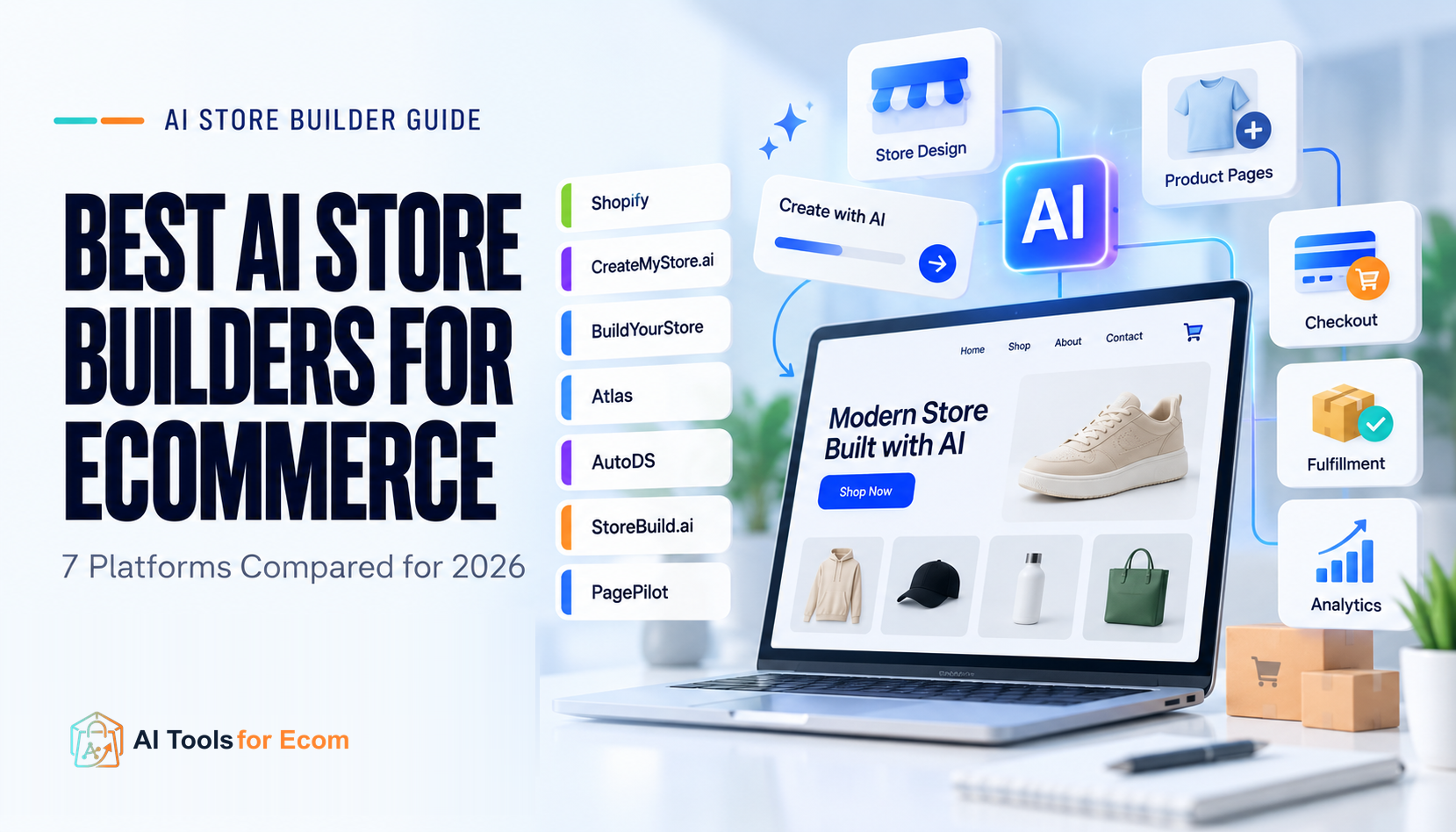
AI store builders can now generate a storefront, load products, write copy, create product pages, and in some cases connect sourcing or fulfillment in minutes.
But that does not mean the generated store is ready to operate.
For an ecommerce merchant, the important question is not simply “Which AI builder creates the nicest homepage?” It is:
How close does the builder get you to a store that can actually accept orders, manage products, support fulfillment, be edited later, and grow without forcing you to rebuild everything?
That distinction matters because products marketed as AI store builders often perform very different jobs. Some generate only the storefront layer. Others build on top of Shopify. Some include products but still require a separate supplier platform. Others focus on rapid product testing rather than long-term store operations.
For this guide, we compared seven options by launch readiness, not by how impressive the first generated design looks.
Quick Answer
For most ecommerce teams, there is no single best AI store builder.
- Shopify AI Store Builder is the safest starting point if you want AI-assisted store creation inside a mature commerce platform.
- CreateMyStore.ai is compelling for a new Shopify merchant who wants a free initial build plus a bundled conversion-tool stack.
- Build Your Store is suited to beginners who want a guided Shopify or one-product-store starting point.
- Atlas is the strongest fit here for product testing with deeper Shopify-native editing after generation.
- AutoDS makes the most sense when store creation is only one part of a larger dropshipping automation workflow.
- StoreBuild.ai is designed around a Shopify + Zendrop operating model.
- PagePilot + StorePilot is better suited to merchants who want to generate stores or product pages from product links while keeping sourcing and fulfillment separate.
The most important commonality is that most of these products do not replace the underlying commerce platform. In this shortlist, Shopify remains the operational backend for most of the tools.
Not Every “AI Store Builder” Builds the Same Thing
The phrase AI store builder hides several different product categories.
Native commerce platform with AI
Shopify falls into this group.
Shopify’s AI Store Builder generates personalized store designs from a business description, while the underlying Shopify platform provides the commerce infrastructure: online store, checkout, payments, inventory, hosting, tax tools, analytics, and app ecosystem.
This is the clearest separation between:
AI-generated storefront
and
commerce infrastructure.
AI builder layered onto Shopify
CreateMyStore, Build Your Store, Atlas, AutoDS, StoreBuild, and PagePilot broadly fit here.
The AI layer accelerates some combination of:
- theme setup;
- homepage generation;
- product imports;
- product-page copy;
- product images;
- navigation;
- conversion elements.
But Shopify still handles the core store infrastructure.
Store builder plus operational ecosystem
AutoDS and StoreBuild go further because they connect store creation to sourcing or fulfillment systems.
That can reduce setup work, but it also means the merchant must evaluate the ongoing software stack, not just whether the initial store build is free.
That is why this comparison focuses on what happens after generation.
ATFE Launch-Readiness Matrix
| Builder | What the AI primarily builds | Commerce backend | Products included | Sourcing / fulfillment | Post-build editing | Main ongoing-cost issue |
|---|---|---|---|---|---|---|
| Shopify AI Store Builder | Store design | Shopify | You add/manage products | Separate | Strong Shopify editing | Shopify plan |
| CreateMyStore.ai | Store design, products, copy, conversion stack | Shopify | Yes | Separate | Shopify | Shopify + Vitals |
| Build Your Store | Beginner store or one-product setup | Shopify | 10 on free route / one-product Pro setup | AutoDS-oriented | Shopify | Shopify + AutoDS; optional paid Pro build |
| Atlas | Homepage, product pages, collections, copy and imagery | Shopify | Product-link driven | Separate | Shopify + Atlas editor | Shopify + Atlas |
| AutoDS | Shopify store, theme, product pages, initial products | Shopify | 10 | AutoDS | Shopify | Shopify + AutoDS |
| StoreBuild.ai | Shopify store, theme, initial products | Shopify | 10 | Zendrop | Shopify | Shopify + Zendrop |
| PagePilot + StorePilot | Store/pages/theme and product content | Shopify | StorePilot includes initial products | Separate | PagePilot + Shopify | Shopify + optional PagePilot plan |
The matrix highlights an important buying rule:
A free AI store build is not the same thing as a free ecommerce operation.
You still need to account for the commerce platform, supplier or fulfillment software, apps, domain, payment processing, and potentially page-builder subscriptions.
How We Evaluated AI Store Builders
We reviewed current official product pages, pricing pages, help documentation, and platform documentation rather than ranking tools by vendor marketing claims.
The evaluation focused on:
- what the AI actually generates;
- catalog and product setup;
- checkout ownership;
- payments;
- supplier and fulfillment dependency;
- post-generation editing;
- ongoing software requirements;
- ability to continue operating after the initial build;
- important limitations a merchant should verify before paying.
We did not assign star ratings or scores because we have not conducted a controlled hands-on benchmark across all seven products.
Vendor statements are treated as vendor claims unless the underlying functionality can be confirmed through official documentation.
1. Shopify AI Store Builder
Best for: merchants who want AI-assisted setup without adding another store-building platform
Shopify’s own AI Store Builder is the cleanest option for merchants who already know they want Shopify.
You describe the business and Shopify generates personalized store designs. The larger advantage is not necessarily that Shopify produces the most elaborate AI-generated storefront. It is that the generated storefront sits on top of an established commerce backend.
Shopify’s Basic plan currently includes a full online store, unlimited products, Shopify Checkout, inventory management, hosting, SSL, analytics, Shopify Payments support, tax tools, and access to the broader Shopify ecosystem.
What it actually builds
The AI Store Builder primarily accelerates the design and initial storefront creation.
You should not interpret it as AI automatically completing every operational task required for launch.
Products, policies, shipping decisions, tax setup, payment configuration, integrations, and final content review still require merchant input.
Why it stands out
The main benefit is architectural simplicity.
You are not adding a second store-building platform just to reach Shopify later. The AI experience and commerce backend are part of the same platform.
If you want a broader view of Shopify-focused AI workflows beyond store building, see Best AI Tools for Shopify in 2026.
Main limitation
If your goal is:
“Give AI one product URL and create an entire dropshipping business around it,”
Shopify’s native builder is less automated than some specialist tools below.
Its strength is different: less extra infrastructure and less platform fragmentation.
Before you choose it
Confirm that you are comfortable using Shopify as the long-term commerce platform rather than selecting it only because the initial AI builder is convenient.
2. CreateMyStore.ai
Best for: new Shopify stores that want a free initial build plus conversion tools
CreateMyStore.ai focuses on new Shopify merchants.
Its current product pages say the builder can design the Shopify store, import products, generate copy, add reviews, and install Vitals, an all-in-one Shopify app containing dozens of ecommerce and marketing tools.
The store build itself is currently promoted as free.
However, the operational stack is not free indefinitely.
CreateMyStore’s own pricing explanation says merchants still need Shopify, while Vitals moves from its promotional introductory period to paid pricing. The service is positioned primarily for new Shopify stores, rather than upgrading an established store.
Why it stands out
Instead of stopping at the initial visual build, CreateMyStore tries to package common conversion functions into the initial setup.
That may be attractive for a beginner who otherwise expects to install several Shopify apps immediately.
Main limitation
The bundle can also become part of your ongoing stack.
Do not evaluate CreateMyStore based only on the word free.
Evaluate whether you actually want Vitals to remain part of your store after launch.
Before you choose it
Calculate:
Shopify + Vitals + domain + any supplier or fulfillment tools you still require.
That number is more useful than the cost of the initial store generation.
For merchants trying to keep the full software stack lean, also see Best AI Tools for Small Shopify Stores on a Budget.
3. Build Your Store
Best for: beginners who want a guided Shopify build or one-product-store starting point
Build Your Store, or BYS, offers a beginner-focused Shopify setup and a paid one-product-store path.
Its free route includes a Shopify theme and a small set of preloaded products, while its paid one-product option adds a more guided store build with custom presentation and configuration.
That makes it more structured than a generic prompt-based website generator.
What matters operationally
BYS documentation makes clear that merchants still need to budget separately for the underlying commerce and operating stack.
That can include:
- Shopify;
- AutoDS for sourcing and fulfillment workflows;
- domain costs.
This is exactly the type of information that should affect an ecommerce decision.
Main limitation
The free store is a starting configuration, not a complete standalone commerce operation.
And if you select the paid one-product build, that fee does not replace the subscriptions needed to operate the store.
Before you choose it
Decide whether you actually want the broader Shopify + AutoDS workflow.
If not, the convenience of the initial BYS build may be less valuable.
4. Atlas
Best for: Shopify merchants testing products who want deeper control after AI generation
Atlas starts from a product link rather than just a business description.
According to Atlas, it can use the product as the basis for generating a store with tailored copy, layouts, a homepage, product pages, collections, and custom sections. The result is imported into Shopify and can continue to be edited with Shopify and Atlas’s own tools.
That makes Atlas particularly interesting for product testing.
Instead of building a generic niche store first and then adapting it to a product, the workflow begins with the product.
Pricing
Atlas currently lists a paid plan that includes its AI Store Builder, AI Page Builder, and built-in conversion features. Pricing and plan limits should be verified at publication because these SaaS terms can change.
Why it stands out
The strongest point here is post-generation control.
An AI build is much less useful if the merchant cannot easily change:
- text;
- imagery;
- product information;
- layouts;
- sections;
- collection structure.
Atlas specifically positions the output as editable after import into Shopify.
Main limitation
It is another paid layer on top of Shopify.
If Shopify’s native tools already provide enough flexibility for your team, Atlas must save enough setup or testing time to justify the additional subscription.
5. AutoDS AI Store Builder
Best for: dropshippers who want store creation tied to product and order automation
AutoDS is different from a standalone website generator because the store builder sits inside a larger dropshipping platform.
Its AI Shopify Store Builder creates a Shopify store with an initial product set, product pages, and a customizable theme.
After the store is created, AutoDS can continue supporting product sourcing, importing, inventory-related workflows, and order operations.
Why it stands out
AutoDS gets closer than many AI builders to solving the question:
“What happens after the store exists?”
That is because the same platform can remain part of the dropshipping operation.
Main limitation
The AI-created store still sits on Shopify.
Payment setup, shipping rules, policies, store configuration, brand review, and other launch tasks are not something you should assume the builder has safely completed on your behalf.
Before you choose it
Test whether you want AutoDS as your ongoing automation platform, not merely whether you like the store it creates.
For a broader look at AI-assisted dropshipping workflows, see Best AI Tools for Dropshipping in 2026.
6. StoreBuild.ai
Best for: beginners who want a free Shopify starter store connected to Zendrop
StoreBuild.ai promotes a free Shopify store containing an initial set of products selected around a chosen niche.
But the onboarding flow reveals the more important operational detail.
To continue building and loading products, StoreBuild relies on Shopify and directs merchants into a Zendrop-centered supplier and fulfillment workflow.
Why it stands out
The value proposition is straightforward:
store creation + initial products + supplier connection.
That can remove several early setup steps for a first-time dropshipper.
Main limitation
Again, the word free applies mainly to the initial build.
The operational model depends on other services.
Before you choose it
Evaluate StoreBuild as:
Shopify + StoreBuild + Zendrop
rather than as an independent ecommerce platform.
7. PagePilot + StorePilot
Best for: merchants who start with a product URL and want AI-generated Shopify pages or a starter store
PagePilot’s core workflow begins with a product link.
It can take a product URL, generate copy and page structure, allow editing, and publish the finished page into Shopify.
The related StorePilot offer goes further by providing a Shopify starter-store workflow with an initial catalog.
Why it stands out
This is a strong workflow for product testing because the merchant can move quickly from:
product link → product page → Shopify
without rebuilding the page manually.
Main limitation
PagePilot explicitly focuses on store and page creation rather than the full operating stack.
Product sourcing, supplier fulfillment, inventory automation, and shipping remain separate parts of the workflow.
That makes it more of a store/page creation layer than an end-to-end dropshipping platform.
Before you choose it
Decide whether your main bottleneck is creating and testing pages.
If the bigger problem is sourcing, inventory, or order automation, AutoDS or a supplier-centered workflow may be a closer fit.
AI Store Builder vs Traditional Ecommerce Setup
AI store builders are most useful when the bottleneck is initial configuration.
They can reduce the time spent on:
- choosing a layout;
- creating initial page structure;
- loading example products;
- writing first-draft copy;
- creating navigation;
- generating product-page content.
They do not eliminate the need to make operating decisions.
A launch-ready ecommerce store still needs someone to verify:
- products and variants;
- pricing and margins;
- inventory;
- payment methods;
- shipping;
- tax;
- returns;
- policies;
- analytics;
- tracking;
- supplier workflows;
- domain configuration;
- SEO metadata;
- mobile checkout;
- final brand and factual accuracy.
The more important your store becomes, the less sensible it is to treat AI output as an unquestioned final product.
How to Choose by Store Type
New Shopify store
Start with Shopify AI Store Builder if you want the simplest long-term architecture.
Consider CreateMyStore when you also want a bundled conversion-tool layer.
One-product or rapid product-testing store
Look closely at Atlas, Build Your Store, and PagePilot.
Their workflows are more directly oriented toward turning a product concept or URL into usable storefront content quickly.
Dropshipping store with automation needs
AutoDS is the strongest fit in this shortlist when ongoing sourcing and automation matter.
StoreBuild is worth considering when you specifically want the Zendrop-centered ecosystem.
Existing Shopify store
Be careful with builders designed primarily for new stores.
For an existing merchant, a page builder or Shopify’s native tools may make more sense than rebuilding the store.
Content- or SEO-led store
Prioritize control over:
- URLs;
- metadata;
- structured content;
- navigation;
- collections;
- internal links;
- long-term editing.
Fast generation is less important if the builder makes ongoing information architecture difficult.
For teams focused heavily on search growth, see Best Ecommerce SEO Tools in 2026.
The ATFE Launch-Readiness Pilot
Before committing to an AI store builder, do not judge it from the generated homepage alone.
Build a small representative store and verify the operating path.
1. Add 5–12 representative products
Include:
- a simple product;
- a product with variants;
- a higher-priced product;
- a product requiring more detailed description.
2. Test a variant
Confirm that:
- price changes correctly;
- inventory can be tracked;
- image switching works;
- the correct SKU reaches checkout.
3. Configure a real payment method
Do not assume “checkout included” means payment configuration is complete.
4. Configure shipping
Test at least two destinations that matter to your business.
5. Complete mobile checkout
Generate the store, then use it like a customer.
6. Inspect SEO controls
Check:
- title tag;
- meta description;
- canonical URL;
- product URL;
- collection structure;
- image alt text;
- structured data.
7. Connect analytics
Make sure you can track the events your team actually uses.
8. Edit the generated content
Change:
- headline;
- product image;
- section order;
- navigation;
- product copy;
- collection.
This reveals whether the builder saves work only during generation or remains usable afterward.
If your workflow relies heavily on AI-generated catalog copy, see Best AI Product Description Generators for Ecommerce.
9. Confirm the operational dependencies
List every recurring service required to keep the store functioning.
The result might be:
Shopify + builder + supplier app + conversion app + domain
rather than simply:
AI builder: free.
When Not to Use an AI Store Builder
An AI store builder may be the wrong choice if:
- you already have a mature store and only need a few pages redesigned;
- your catalog architecture is unusually complex;
- your team needs deep custom code ownership;
- migration and portability are strict requirements;
- the generated store locks you into a supplier or software stack you do not want;
- your main bottleneck is fulfillment rather than store creation;
- your team already has a proven theme and repeatable launch process.
In those cases, AI may be more useful for individual workflows—copy, imagery, research, merchandising, or page creation—than for rebuilding the entire storefront.
Final Recommendation
The best AI store builder depends less on the AI model and more on the operating stack you want after generation.
Choose Shopify AI Store Builder if you want the least fragmented path into a mature ecommerce platform.
Choose CreateMyStore.ai if you are opening a new Shopify store and value a bundled conversion-app setup.
Choose Build Your Store if you want a highly guided beginner or one-product workflow.
Choose Atlas if rapid product testing and post-generation Shopify editing are the priority.
Choose AutoDS if store generation is part of a broader dropshipping automation workflow.
Choose StoreBuild.ai if you want a Zendrop-centered starter setup.
Choose PagePilot + StorePilot if your priority is quickly converting products or product URLs into Shopify stores and pages while keeping sourcing separate.
Most importantly, do not choose based on how impressive the generated homepage looks.
Choose based on what remains after the AI finishes.
For a broader workflow-based view of AI across ecommerce operations, see Best AI Tools for Ecommerce in 2026.
Editorial Methodology
ATFE evaluated these tools as ecommerce operating systems and workflow components rather than as design demos.
Mutable product facts were checked against current official product pages, pricing pages, or support documentation in October 2026.
We distinguish between:
- verified product facts;
- vendor claims;
- ATFE editorial judgments;
- unknown or unverified capabilities.
We did not conduct a controlled hands-on benchmark across all seven products, so this guide does not use performance scores or claim that ATFE personally tested every builder.
Affiliate relationships, where applicable, do not determine inclusion or conclusions.
Frequently Asked Questions
Are AI store builders good for ecommerce?
They can be useful for reducing initial setup work, especially for new stores and product-testing workflows. Their value depends on how much of the operating stack they actually configure and how easy the output is to edit later.
Can AI build a complete Shopify store?
Several tools can generate a Shopify storefront, product pages, products, navigation, and theme content. But the merchant still needs to verify payments, shipping, tax, policies, analytics, supplier workflows, and final content before launch.
Which AI store builder is best for dropshipping?
For an automation-heavy workflow, AutoDS is one of the strongest fits in this shortlist because its store builder is connected to its wider product and order platform. StoreBuild is another option if you want a Zendrop-centered workflow.
Is there a free AI Shopify store builder?
Yes. CreateMyStore, Build Your Store, StoreBuild, and StorePilot currently promote free initial store-building options. However, Shopify and other services required to operate the store may still cost money.
Does an AI store builder replace Shopify?
Usually not. Most of the tools in this guide build on top of Shopify rather than replacing it. Shopify still provides the underlying checkout, inventory, hosting, payment, order, and commerce infrastructure.
Can I edit an AI-generated store later?
It depends on the tool. Shopify-native builders generally offer stronger post-generation editing because the resulting store lives in Shopify. Atlas explicitly positions generated content as editable after import into Shopify.
Primary Official Sources
Shopify
- AI Store Builder: https://www.shopify.com/tools/ai-store-builder
- Build with AI: https://www.shopify.com/build-with-ai
- Pricing: https://www.shopify.com/pricing
- Shopify AI guidance / help: https://help.shopify.com/en/manual/ai-powered-tools
CreateMyStore.ai
- Main product page: https://createmystore.ai/
- Campaign / pricing context: https://createmystore.ai/campaign
Build Your Store
- Official help documentation: https://help.buildyourstore.ai/en/articles/12983408-ai-powered-shopify-store-creation-platform
Atlas
- AI Store Builder: https://www.helloatlas.io/features/ai-store-builder
AutoDS
- AI Shopify Store Builder: https://www.autods.com/shopify/features/ai-built-shopify-store/
- Shopify setup / optimization help: https://help.autods.com/en/articles/12699781-shopify-store-connect-build-and-optimize-your-store-with-autods
- Pricing: https://www.autods.com/pricing/
StoreBuild.ai
- AI Store Builder: https://storebuild.ai/ai-store-builder/
- Free Shopify Store Builder: https://storebuild.ai/free-shopify-store-builder/
- Builder requirements / setup: https://storebuild.ai/v3-builder/
PagePilot / StorePilot
- PagePilot: https://pagepilot.ai/
- PagePilot About: https://pagepilot.ai/about
- StorePilot: https://store.pagepilot.ai/