An AI video generator can make a clip.
An ecommerce video ad generator has to do more.
For a performance-marketing team, the real workflow is not simply:
prompt → video
It is closer to:
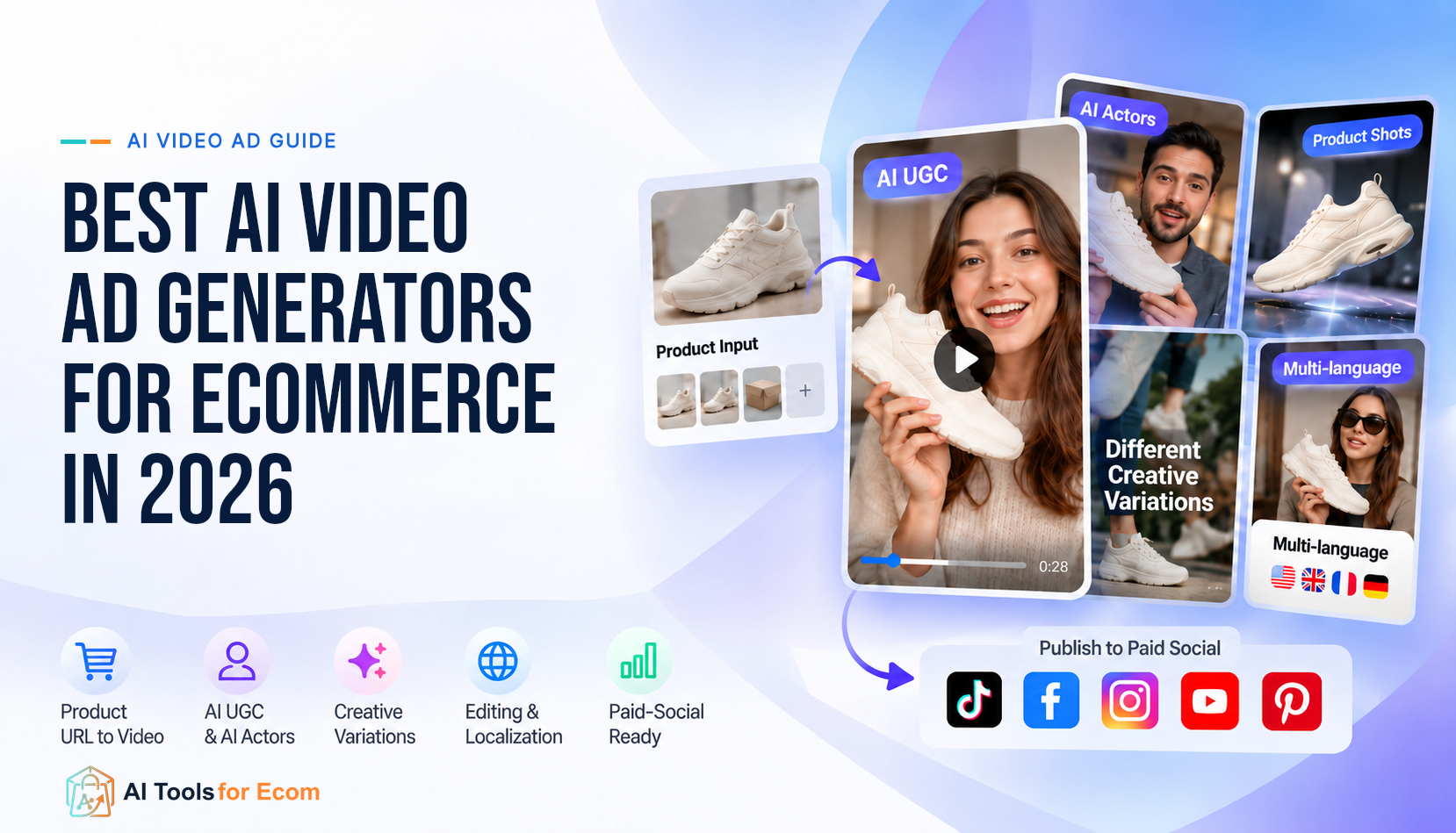
product input → hook → script → product proof → creator or voice → edit → variants → platform format → launch-ready creative
That distinction changes which tools are worth paying for.
A cinematic text-to-video model may create an impressive scene but still leave your team writing the hook, rebuilding the product sequence, adding captions, formatting for paid social, and creating five more variations manually.
For this guide, we focused on tools that can participate in the actual ecommerce ad-production workflow, especially for Meta, TikTok, Instagram Reels, YouTube Shorts, and other short-form paid-social placements.
We compared seven platforms by:
- how they ingest product information;
- whether they can turn a product URL, image, footage, or brief into usable ad creative;
- UGC and AI-actor capability;
- control over scripts, hooks, captions, scenes, and edits;
- ability to create meaningful creative variations;
- localization;
- paid-social readiness;
- pricing model;
- workflow friction;
- and the limitations a team should verify before scaling production.
We did not rank tools by vendor-reported conversion rates, review scores, or generic feature count.
We also did not conduct a controlled hands-on benchmark across all seven platforms. Product capabilities and pricing below are based primarily on current official vendor documentation and pricing pages, with mutable facts to be rechecked immediately before publication.
Quick Answer
There is no universal best AI video ad generator for ecommerce.
- Creatify is the strongest fit for teams that want a direct product-URL-to-ad workflow with scripts, AI actors, templates, editing, ad cloning, and campaign-oriented tooling in one system.
- QuickAds is a strong choice when you want creative intelligence plus production, including ad research, product-link or prompt-based generation, video creation, and publishing workflows.
- Arcads is best suited to teams that want to produce and test large volumes of AI-actor and UGC-style ads, with strong emphasis on creators, product showcases, localization, and creative variation.
- Pippit is the clearest fit for social-commerce workflows, especially when Shopify, Amazon, TikTok Shop, publishing, product links, and channel analytics matter together.
- Vizard AdMaker is useful when you already have product footage, testimonials, reviews, or ecommerce links and want to turn those assets into UGC-style ad concepts.
- HeyGen is strongest when the ad workflow depends on presenters, avatars, voice, and multilingual localization.
- AdCreative.ai is a good fit for teams that want product-image and prompt-driven video creation inside a broader ad-creative stack, rather than a UGC-first workflow.
The most important buying question is not:
“Which AI video tool looks the most impressive?”
It is:
Which platform gets your team from real product inputs to multiple testable paid-social creatives with the least manual rebuilding?
Quick comparison
| Tool | Best for | Primary input | Main ad workflow | Pricing snapshot | Official source |
|---|---|---|---|---|---|
| Creatify | Product-URL-to-ad production | Product URL, assets, script | URL → script → actor/visual → editable ad | Free; Starter and Pro paid tiers | https://creatify.ai/pricing |
| QuickAds | Creative intelligence + production | Prompt, product website link | Research → generate → edit → publish | Free entry; paid self-serve tier | https://www.quickads.ai/pricing |
| Arcads | AI-actor / UGC testing | Brief, product assets, creative references | Actor/UGC ad → remix/edit/localize | Credit-based; verify live pricing | https://www.arcads.ai/ |
| Pippit | Social-commerce workflow | Shopify, Amazon, TikTok Shop links; assets | Link → marketing video → edit → publish → analytics | Free + credit-based paid plans | https://www.pippit.ai/pricing |
| Vizard AdMaker | Existing-assets-to-UGC workflow | Product footage, testimonials, reviews, ecommerce links | Assets → script/creator → UGC ad | Free + paid tiers | https://vizard.ai/pricing |
| HeyGen | Avatars + localization | Prompt, description, product image | Product/presenter video → localization | Free + paid Creator/Pro/Business tiers | https://www.heygen.com/pricing |
| AdCreative.ai | Product-image video + broader ad stack | Product image, prompt | Product/video creative → ad-ready variants | Credit-based plans | https://www.adcreative.ai/ai-videos |
ATFE editorial judgment: Creatify is the cleanest benchmark for a direct ecommerce ad-generation workflow, while QuickAds is more compelling when ad discovery and production need to live closer together. Arcads, HeyGen, and Vizard become more attractive when the core creative format is UGC- or presenter-led rather than product-demo-first.
ATFE Ecommerce Ad-Production Fit Matrix
The matrix below is designed around workflow fit, not an artificial score.
| Tool | Best for | Product URL / link input | Product images / assets | UGC / AI actors | Creative variation | Editing control | Localization | Paid-social workflow | Billing model | Main limitation | Official source |
|---|---|---|---|---|---|---|---|---|---|---|---|
| Creatify | URL-to-ad production | Yes | Yes | Strong | Strong: scripts, actors, templates, cloning | Strong | Strong | Strong | Credits + subscription | Credits can become the constraint when you regenerate heavily | https://creatify.ai/features/url-to-video |
| QuickAds | Creative research + ad production | Yes | Yes | Available inside broader video/creator stack | Strong emphasis on ad discovery and production | Editable generated creatives | Supported | Strong | Subscription | Broad platform can be more than you need for one simple video workflow | https://www.quickads.ai/video-ads |
| Arcads | AI-actor and UGC testing | Product-oriented workflow, not primarily URL-first | Strong | Very strong | Strong for actors, hooks, remixes and product showcases | Video editing and workflow tools | Strong | Strong for UGC/performance-ad formats | Credit-based | Less ecommerce-backend-oriented than URL-first systems | https://www.arcads.ai/industries/e-commerce |
| Pippit | Shopify / Amazon / TikTok Shop content | Yes | Yes | Avatar/video tools included | Good across templates, agents and remixing | Built-in editor | Supported | Strong: publish, product links and analytics | Credits + subscription | Pricing and credit economics can change frequently | https://www.pippit.ai/resource/help-center/video-solution |
| Vizard AdMaker | Turning existing brand assets into UGC ads | Ecommerce/product links supported | Strong | Strong | Strong for message and creative testing | Editor + AI ad assembly | Supported | Strong for short-form UGC output | Credits + subscription | AdMaker is newer than Vizard’s established clipping workflow | https://vizard.ai/adMaker |
| HeyGen | Presenter-led ads and localization | Not primarily URL-first | Product photos/descriptions supported | Very strong | Good when changing avatar, language, script and scene | Strong presenter/video editing workflow | Very strong | Good for UGC, product videos and social exports | Credits + subscription | Less ecommerce-native than product-URL-first systems | https://www.heygen.com/tool/ecommerce-video-maker |
| AdCreative.ai | Product-image video inside broader ad-creative stack | Not the core video input | Strong | Available, but not the core differentiator | Good across broader ad-creative generation | AI video generation + ad transformation | Not the main reason to choose it | Strong broader advertising orientation | Credits + subscription | Better fit for broader creative-stack buyers than UGC-first teams | https://www.adcreative.ai/ai-videos |
What this matrix does not claim
This is not a controlled quality benchmark.
We are not claiming that one tool has better product fidelity, lower CPA, or higher conversion rate than another. Those outcomes depend on the product, source assets, prompt, offer, audience, campaign setup, and the amount of human review.
The matrix reflects documented workflow capability plus ATFE editorial interpretation of where each tool fits best.
How We Evaluated AI Video Ad Generators
We used current official product pages, help-center documentation, and pricing pages.
The evaluation focuses on six operating questions.
1. What can you start with?
For ecommerce teams, inputs matter.
A system that accepts a Shopify or product URL can eliminate manual work that a prompt-only generator leaves to the marketer.
Useful inputs include:
- product URL;
- Shopify, Amazon, or TikTok Shop link;
- product image;
- product footage;
- testimonial footage;
- script;
- text brief;
- existing ad reference;
- brand assets.
2. Does it create raw footage or a finished ad workflow?
A raw AI clip is not the same as a testable paid-social ad.
A more complete ad workflow may also include:
- hook;
- script;
- voice;
- actor or presenter;
- captions;
- CTA;
- product sequence;
- platform format;
- edit controls;
- multiple versions.
For an ecommerce team, this difference often matters more than the underlying video model.
3. Can it preserve the product?
Product fidelity is one of the hardest issues in generative advertising.
If a shoe, bottle, garment, device, label, or packaging design changes between frames, the creative may be unusable even if the scene looks impressive.
ATFE therefore treats product-image and product-footage workflows differently from purely generative scenes.
4. Can it create real creative variation?
Changing a caption color is not meaningful creative testing.
A useful variation workflow should make it practical to test differences such as:
- opening hook;
- actor;
- script;
- objection;
- offer angle;
- product demonstration;
- voice;
- pacing;
- CTA;
- scene order.
5. How much editing is still required?
Automation is valuable only if it removes work your team actually performs.
A team should test how much manual effort remains after generation:
- correcting the product;
- rewriting the script;
- replacing weak scenes;
- fixing captions;
- changing timing;
- rebuilding the CTA;
- exporting multiple formats.
6. What is the real billing unit?
These tools do not all charge the same way.
You may pay for:
- monthly credits;
- generated seconds;
- video generations;
- processing minutes;
- seats;
- premium models;
- avatars;
- or higher plan tiers.
That makes the advertised starting price a poor comparison by itself.
1. Creatify
Best for: ecommerce teams that want to move directly from a product URL to a finished video-ad workflow
Creatify is the most direct product-URL-to-ad platform in this shortlist.
Its current URL-to-Video workflow lets you paste a product link, extract product information and assets, generate a script, and create an ad without manually rebuilding the product brief.
That makes it a strong fit for stores that repeatedly need new ads from product pages.
Why it stands out
The advantage is not only video generation.
Creatify currently combines:
- URL-to-Video;
- AI actors;
- AdFlow templates;
- an AI video editor;
- ad cloning;
- competitor-ad tracking;
- and campaign-oriented tooling.
For ecommerce teams, this creates a relatively complete sequence:
product page → script → actor/creative → edit → variation → ad-ready output
Pricing model
Creatify uses subscription plans plus credits.
The useful question is not only monthly price.
It is:
How many approved ads can your team produce after regenerations, actor swaps, script changes, and failed outputs?
Main limitation
Credits can become the practical bottleneck for teams that regenerate frequently.
A workflow that looks inexpensive at the plan level can become less efficient if the team repeatedly reruns scenes before reaching an acceptable ad.
Before you choose it
Test one real product page with:
- one direct-response hook;
- one testimonial angle;
- one problem/solution angle;
- at least two actors;
- and two different first-three-second openings.
Track how many credits you use before the creative is genuinely ready for media buying.
Official sources
2. QuickAds
Best for: teams that want ad discovery, creative intelligence, and production in the same operating loop
QuickAds is broader than a single AI video generator.
Its current platform positions ad research, creative generation, video ads, product ads, photoshoots, publishing, and campaign-oriented workflows inside one system.
Why it stands out
QuickAds is particularly interesting when your bottleneck is not just production.
A performance team often needs to answer:
- What creative formats are competitors using?
- Which hooks are common in the category?
- What should we make next?
- How do we turn that direction into new creative?
- How do we publish the result?
QuickAds combines ad inspiration/research with production tools.
Vendor-reported database-size figures should be treated as vendor claims, not independently verified ATFE counts.
Pricing model
QuickAds has a free entry point, paid self-serve plans, and separately priced managed services.
When comparing QuickAds with software-only competitors, compare the self-serve platform rather than a managed-services package.
Main limitation
Breadth can also be a disadvantage.
If your only requirement is:
“Paste one product URL and make three UGC ads,”
a broader research-plus-production platform may create more workflow than necessary.
Before you choose it
Run a small test that starts with research rather than generation.
Use the same product to:
- identify three competitor creative patterns;
- turn those into three distinct hooks;
- generate three ads;
- export the paid-social versions;
- compare how much manual work remains.
Official sources
3. Arcads
Best for: performance teams producing and testing AI-actor / UGC-style ads at high creative volume
Arcads is one of the most UGC-focused tools in this comparison.
Its current ecommerce pages promote a large AI-actor library, product showcase workflows, actors holding or showing products, localization, captions, and creative workflow tooling.
The emphasis is clear:
create, vary, and scale creator-style ads without coordinating a traditional creator shoot for every concept.
Why it stands out
Arcads is strongest when the creative unit you want to test is:
- a new actor;
- a new UGC script;
- a product showcase;
- a new voice;
- a different hook;
- a localized version;
- or a remix of an existing concept.
Pricing model
Arcads is credit-based, but its public promotions and purchase offers can change.
Rather than anchoring this guide to a temporary campaign price, check the live plan and credit allowance at purchase.
Main limitation
Arcads is less directly tied to ecommerce backend/product-page workflows than systems designed around URL extraction.
If your biggest source of efficiency is:
“Take this product page and automatically extract the offer, product information, and creative inputs,”
Creatify or Pippit may fit more naturally.
Before you choose it
Use one product and test:
- three actors;
- two hooks;
- one product-showcase version;
- one testimonial-style version;
- one localized version.
The value of Arcads should show up in variation speed, not simply the quality of one generated video.
For a focused two-platform decision, compare HeyGen and Arcads.
Official sources
4. Pippit
Best for: social-commerce teams connecting product links, video creation, publishing, and channel analytics
Pippit is especially relevant to ecommerce because it connects content creation with product and social-commerce workflows.
Its current documentation describes URL-to-Video workflows for major commerce platforms and broader social publishing.
Why it stands out
The differentiator is the surrounding commerce workflow.
Pippit can combine:
- Link to Video;
- editing;
- scheduling and publishing;
- product-link workflows;
- and publishing analytics.
For merchants already operating heavily through TikTok and social commerce, this can reduce handoffs between product catalog, creative production, and publishing.
Pricing model
Pippit uses a credit-based system with a free tier and paid subscriptions.
Its public pricing can vary by region, billing period, and promotion.
For that reason, ATFE intentionally does not lock this guide to one Pippit monthly price.
Treat Pippit pricing as:
Free entry + credit-based paid tiers — verify the live price, included credits, and generation cost immediately before purchase.
Main limitation
The credit system is difficult to compare directly with platforms that price by a simple monthly plan or processing minutes.
Teams need to model the specific video models and generation settings they intend to use.
Before you choose it
If you sell through Shopify or TikTok Shop, test the complete loop:
product link → generated video → manual edit → social publish → product link → analytics
The value is the connected workflow, not only the video generator.
Official sources
5. Vizard AdMaker
Best for: teams that already have product footage, testimonials, reviews, or ecommerce links and want to turn them into UGC-style ads
Vizard historically became known for clipping and repurposing longer videos.
AdMaker expands the use case toward paid creative.
Why it stands out
Vizard becomes more attractive when the brand already has useful source material.
Instead of asking AI to invent the entire ad, you can start with:
- real product demo footage;
- existing customer footage;
- testimonials;
- reviews;
- product listings;
- or brand assets.
That can help keep more of the creative grounded in material you already own.
Pricing model
Vizard has a free plan and paid tiers.
Its live pricing and credit treatment should be verified before publication, especially for the newer AdMaker workflow.
Main limitation
AdMaker is newer than Vizard’s established clipping and editing product.
Teams should therefore validate the actual AdMaker generation workflow and credit behavior rather than assuming the mature clipping economics apply identically.
Before you choose it
Use a product for which you already have:
- one demo clip;
- one testimonial;
- one product page;
- one static product image.
Then compare whether AdMaker produces stronger ads from your real assets than from a product link or brief alone.
Official sources
6. HeyGen
Best for: ecommerce ads that depend on presenters, avatars, voice, and multilingual localization
HeyGen is not the most ecommerce-native platform in this shortlist.
It is here because presenter-led video and localization are important ecommerce ad workflows.
Its ecommerce-video product supports product descriptions and photos, UGC-style product ads, captions, presenter workflows, and product-video localization.
Why it stands out
Localization is the clearest reason to evaluate HeyGen.
Its platform combines a large avatar library, voice cloning, and broad language support.
Pricing model
HeyGen has Free, Creator, Pro, and Business tiers, with credits used across supported generative features.
Teams should model the specific generation modes they intend to use rather than treating the subscription as unlimited output.
Main limitation
HeyGen is a video/presenter platform first.
It does not have the same ecommerce product-page-to-ad operating model as Creatify, or the same social-commerce integration logic as Pippit.
Before you choose it
Take one approved ad script and create:
- one English version;
- one translated version;
- one different avatar;
- one product-focused version.
Measure how much review work is needed before each version is acceptable for paid media.
Official sources
7. AdCreative.ai
Best for: teams that want AI video creation inside a broader advertising-creative stack
AdCreative.ai approaches video from the broader ad-production side.
Its current platform includes AI videos, product videos, ad videos, batch creatives, competitor insights, creative scoring, ad-platform integrations, and other advertising-oriented tools.
Why it stands out
The strongest fit is a team that already wants a wider creative-production suite.
Rather than buying a UGC-only generator, the team can work across:
- product videos;
- ad videos;
- image creatives;
- batch creative production;
- advertising insights;
- and creative variations.
That is different from UGC-first systems where the main decision is actor, script, and testimonial structure.
Pricing model
AdCreative.ai uses subscription plans and credits.
Plan packaging and promotional discounts can change, so verify current monthly list prices and video access before publication.
Main limitation
If your paid-social strategy is primarily creator-style UGC, AdCreative.ai is not the most obvious first choice in this shortlist.
Its strength is the broader creative stack.
Before you choose it
Use the same product to generate:
- one clean product showcase;
- one performance-style ad;
- one prompt-driven video.
Then compare how much manual editing is required to make each one ready for your media buyer.
Official sources
How to Choose an AI Video Ad Generator by Ecommerce Workflow
The right tool depends on where your existing workflow starts.
You have a product page and want finished ads quickly
Start with:
Creatify
Also evaluate:
Pippit and QuickAds
These tools reduce the amount of product information you need to re-enter manually.
You want to test many AI creators or UGC concepts
Start with:
Arcads
Also evaluate:
Creatify and Vizard AdMaker
The deciding factor is how quickly you can create genuinely different hooks and creator executions.
You already have good product footage and testimonials
Start with:
Vizard AdMaker
Also evaluate:
QuickAds
Your advantage is the source material you already own.
You sell heavily through TikTok Shop or social commerce
Start with:
Pippit
The connected product-link, publishing, product-tagging, and analytics workflow matters more here than raw model quality.
You need multiple languages and presenter-led ads
Start with:
HeyGen
The value proposition is localization and presenter infrastructure.
You want one broader ad-creative suite
Evaluate:
QuickAds and AdCreative.ai
These products make more sense when video is one part of a larger creative operating system.
The Billing Model Matters More Than the Starting Price
AI video pricing is easy to compare badly.
A lower monthly price is not necessarily cheaper in production.
The correct unit is closer to:
cost per approved, testable creative
That includes failed generations.
A useful internal model is:
Effective creative cost = subscription + add-ons + generation credits + regeneration cost + operator time ÷ approved creatives
Credit-based pricing
Used by several platforms in this comparison.
The risk is regeneration.
If the first output is rarely usable, your effective cost is much higher than the advertised cost of one generation.
Processing-minute pricing
Vizard’s established platform has used credits tied to uploaded processing minutes for many workflows.
This can be useful when repurposing existing footage, but teams should verify how the newer AdMaker generation workflow is charged.
Broad-suite pricing
QuickAds combines self-serve generation with broader creative intelligence and also sells managed services.
Make sure the plan comparison is software-to-software.
Dynamic or promotional pricing
Pippit and Arcads can surface changing promotions or packages.
Do not build a 12-month production budget from a temporary campaign price.
The ATFE 7-Day Ad Production Pilot
Do not buy an annual plan because a demo looks good.
Run a small controlled evaluation with your own product.
1. Choose one representative product
Use a product with:
- real product photos;
- a real product page;
- a clear value proposition;
- at least one customer objection;
- enough visual material to judge fidelity.
Do not choose the easiest product in your catalog.
2. Define three creative angles
For example:
- problem / solution;
- product demonstration;
- testimonial / social proof.
Keep the offer constant.
3. Generate at least two hooks per angle
That gives you six meaningful creative directions.
The goal is not six color variations.
Change the opening idea.
4. Record regeneration count
For every approved ad, track:
- total generations;
- script rewrites;
- actor swaps;
- scene replacements;
- caption fixes;
- product corrections.
This exposes the hidden production cost.
5. Review product fidelity
Check:
- logo;
- packaging;
- color;
- shape;
- labels;
- product proportions;
- use-case accuracy.
Do not publish a visually impressive ad that misrepresents the product.
6. Export real paid-social formats
At minimum test:
- 9:16;
- 1:1 or 4:5 if relevant;
- captions;
- CTA;
- safe-zone placement.
An ad is not finished if your team must rebuild the layout in another editor.
7. Calculate accepted-output cost
Compare:
- monthly plan;
- credits consumed;
- operator time;
- approved ads produced.
This is more useful than counting raw generations.
When Not to Buy an AI Video Ad Generator
You may not need another AI ad platform yet.
Your bottleneck is the offer, not production
More variants will not fix a weak product proposition.
If customers do not understand the value, first improve:
- positioning;
- landing page;
- offer;
- proof;
- pricing;
- product-market fit.
You already have strong creator footage but poor editing
A lightweight editor or repurposing workflow may be enough.
You may not need a full product-URL-to-video system.
Your team cannot review AI-generated product claims
AI can introduce incorrect product statements.
If nobody owns factual review, increasing creative volume increases risk.
You cannot run enough media tests
Producing 100 ads is not useful if your ad budget can only test five meaningfully.
Creative production volume should match your testing capacity.
Your category has strict compliance requirements
Regulated or sensitive product categories may require stronger review processes than a general AI ad workflow provides.
Final Recommendation
For most ecommerce teams, the best AI video ad generator is not the platform with the most impressive demo.
It is the one that fits the way your team already creates, reviews, tests, and launches paid-social creative.
If your workflow begins with a product page and you want the shortest path from product information to a finished ad, Creatify is the strongest starting point in this shortlist.
If your team wants to combine creative research, competitor inspiration, and ad production, QuickAds deserves a closer look.
If your biggest requirement is producing many UGC-style concepts, actors, hooks, and creator variations, Arcads is the more specialized option.
For merchants operating heavily through Shopify, TikTok Shop, Amazon, and social-commerce channels, Pippit offers a broader product-to-content-to-publishing workflow.
If your brand already owns useful product footage, testimonials, reviews, and existing video assets, Vizard AdMaker may create more value by transforming those assets rather than replacing them with fully synthetic creative.
For teams that need presenter-led ads and multilingual localization, HeyGen remains one of the strongest platforms to evaluate.
And if video is only one part of a larger paid-creative operation, AdCreative.ai provides a broader image, video, and advertising-creative environment.
The important point is that these tools solve different production problems.
Do not choose one because it appears first in a roundup.
Run the same product through a controlled pilot and measure:
- generations required;
- product corrections;
- script edits;
- operator time;
- credit consumption;
- finished ad formats;
- and the number of creatives your media team would actually approve for testing.
The winner for your store is the platform that produces the most usable creative variation with the least operational friction.
Editorial Methodology
ATFE evaluates ecommerce software around workflow fit rather than generic feature count.
For this guide, we reviewed official vendor materials including:
- product pages;
- pricing pages;
- feature documentation;
- help-center documentation;
- ecommerce-specific workflow pages;
- and official descriptions of credits, plans, integrations, and generation features.
We focused on the operating questions that matter to ecommerce performance teams:
- What real product inputs can the system use?
- How far does it take the user from input to finished ad?
- Does it support meaningful UGC or creator workflows?
- Can the team generate genuinely different creative variants?
- How much editing remains after generation?
- Does it support localization?
- Is the output practical for paid-social formats?
- What actually drives cost?
- What limitation should a buyer validate before committing?
What ATFE did not do
ATFE did not conduct a controlled hands-on benchmark across all seven platforms for this article.
We therefore do not claim:
- one platform produces universally better-looking ads;
- one tool has higher conversion rates;
- one tool lowers CPA;
- one tool produces better ROAS;
- one model has objectively better product fidelity;
- or one platform is a universal winner.
Where this guide describes a product capability based on vendor documentation, it should be treated as a verified vendor feature or vendor claim, depending on what the source actually establishes.
Statements such as:
- “best for product-URL-to-ad workflows”;
- “stronger fit for localization”;
- “better suited to UGC testing”;
- or “broader creative stack”
are ATFE editorial judgments based on documented workflow fit.
Pricing, credit allowances, model access, promotions, and product packaging can change quickly.
Recheck the official pricing page before purchasing an annual plan.
Frequently Asked Questions
What is the best AI video ad generator for ecommerce?
There is no single best option for every store.
Creatify is a strong starting point for product-URL-to-video-ad workflows. QuickAds is better suited to teams combining creative research and production. Arcads is particularly strong for AI-actor and UGC-style variation. Pippit is compelling for social-commerce workflows, while HeyGen is stronger when localization and presenter-led video matter.
The best choice depends on your product inputs, creative format, editing needs, testing volume, and billing model.
Can AI generate a video ad directly from a product URL?
Yes.
Several current platforms can use a product or ecommerce URL as an input.
For example, Creatify supports URL-to-Video workflows, while Pippit supports product-link workflows for major commerce platforms.
However, “URL-to-video” does not mean the finished ad should be published without review.
Always verify:
- product details;
- pricing or offer claims;
- product appearance;
- captions;
- CTA;
- and brand accuracy.
What is the best AI video ad maker for Shopify?
For a Shopify merchant, start by evaluating tools that reduce manual product-data entry.
Creatify is a strong option when you want to turn a product page directly into advertising creative.
Pippit is also relevant because its Link-to-Video workflow supports commerce links and connects creation with broader social-commerce publishing features.
The better choice depends on whether your priority is ad production itself or a broader product-to-social workflow.
Are AI video ads suitable for Meta and TikTok advertising?
They can be, but the fact that a video is AI-generated does not make it effective advertising.
A usable Meta or TikTok ad still needs:
- a strong opening hook;
- accurate product representation;
- a clear offer;
- appropriate pacing;
- readable captions;
- a CTA;
- platform-safe formatting;
- and enough creative variation to test different angles.
Treat AI as a production system, not a replacement for creative strategy.
Creatify vs QuickAds: which is better for ecommerce video ads?
The two platforms overlap, but their strongest workflows are different.
Choose Creatify first if your primary job is:
product URL → script → actor/creative → finished video ad.
Evaluate QuickAds first if your workflow is closer to:
creative research → competitor inspiration → ad concept → generation → publishing.
Teams should test both with the same product rather than comparing feature lists alone.
Are AI UGC ads the same as AI video ads?
No.
AI UGC is one creative format inside the broader AI video-ad category.
An AI video ad may instead be:
- a product demonstration;
- animated product imagery;
- B-roll with voiceover;
- a presenter-led video;
- a promotional product montage;
- or another performance-ad format.
If UGC is specifically your main format, evaluate the creator/actor workflow separately from general video-generation capability.
How much do AI video ad generators cost?
Pricing models vary significantly.
Depending on the platform, you may pay through:
- monthly subscriptions;
- generation credits;
- video credits;
- processing minutes;
- premium AI models;
- seats;
- or higher plan tiers.
The advertised monthly price is therefore not enough to compare tools.
A more useful metric is:
cost per approved creative
Include failed generations, regenerations, edits, credits, and operator time.
What should I test before buying an AI video ad generator?
Use one real product and test at least three different creative angles.
Measure:
- how easily the tool ingests product information;
- number of generations required;
- product fidelity;
- hook quality;
- script accuracy;
- editing time;
- creative variation;
- export formats;
- credit consumption;
- and whether your media buyer would actually test the result.
A seven-day production pilot is more useful than comparing demo reels.