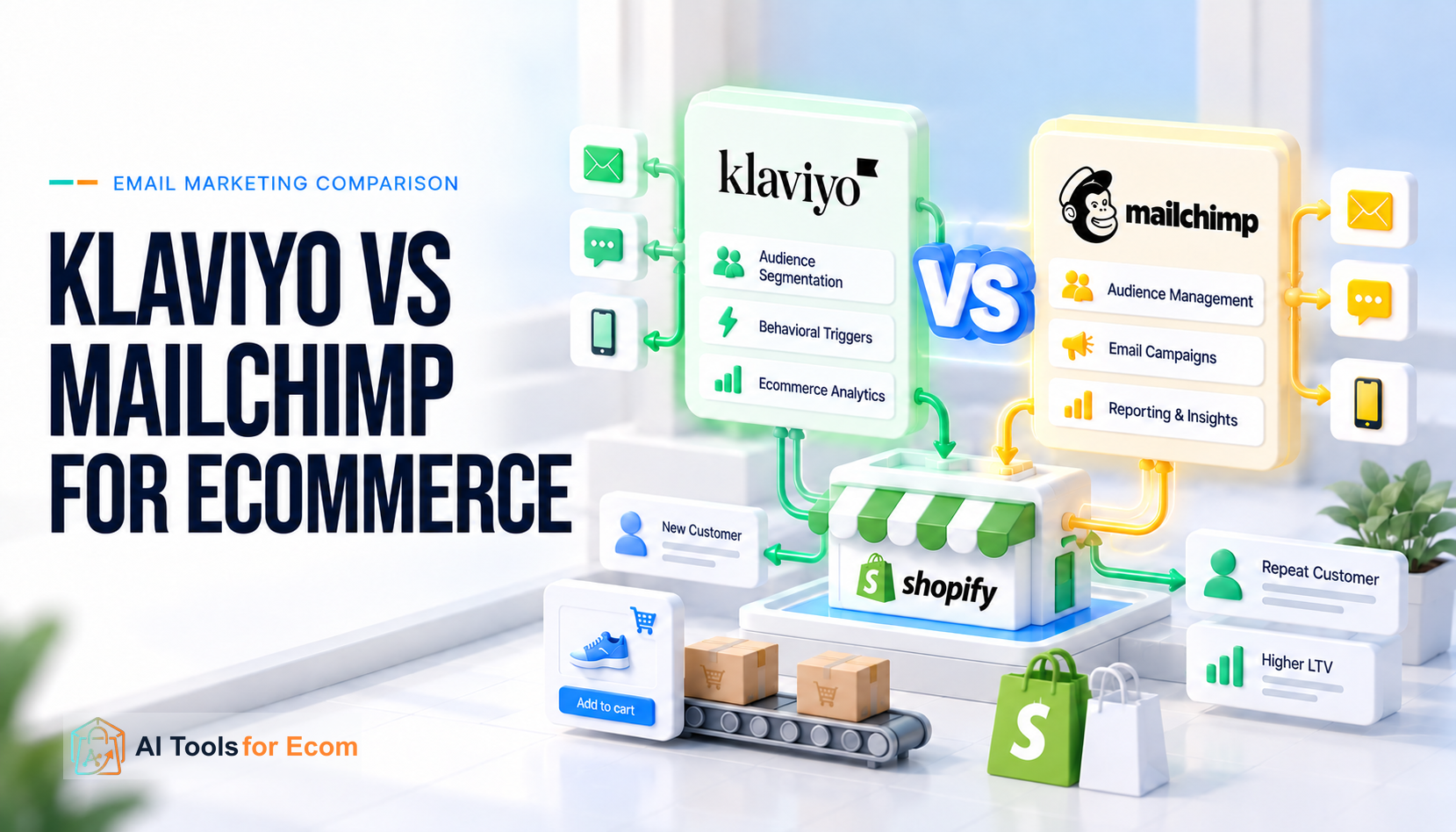
If you run an ecommerce business, the Klaviyo vs Mailchimp decision is no longer simply “advanced email marketing versus easy email marketing.” Both products now connect ecommerce data to marketing workflows, and both document mobile messaging and product-recommendation capabilities alongside their ecommerce integrations (Klaviyo Shopify data reference, Klaviyo mobile-messaging pricing, Klaviyo product feeds, Mailchimp for Shopify syncing, Mailchimp SMS setup, Mailchimp product recommendations). The more useful question is whether your team needs a marketing system built around granular customer and commerce events, or a broader marketing platform that can support ecommerce without making lifecycle marketing the center of your operating model.
Quick Answer: Klaviyo or Mailchimp for Ecommerce?
For a Shopify or DTC team that expects lifecycle automation, customer behavior, purchase history, email, and mobile messaging to become a core growth system, Klaviyo is usually the more natural fit. Its Shopify integration exposes customer and commerce events including Viewed Product, Added to Cart, Checkout Started, Placed Order, and Fulfilled Order (Klaviyo Shopify data reference), and Klaviyo documents event-triggered flows for use cases such as abandoned cart, post-purchase, and browse abandonment (Klaviyo metric-triggered flows). If you need a product-level overview before comparing platforms, ATFE’s Klaviyo tool profile is the better starting point.
Mailchimp remains a credible ecommerce option, especially when the marketing program is broader than lifecycle messaging, the team already operates successfully in Mailchimp, or the cost and disruption of rebuilding automations would outweigh the expected benefit of switching. Its current Shopify integration syncs customer, order, and behavioral data and exposes events such as product_viewed, product_added_to_cart, checkout_started, and checkout_completed (Mailchimp for Shopify syncing). Mailchimp also documents ecommerce automation triggers (automation-flow triggers), predictive segmentation (segmenting options), purchase-history recommendations (product recommendations), SMS as an add-on on eligible paid plans (SMS setup), and last-touch ecommerce attribution (Mailchimp attribution).
The wrong way to decide is to count features. The better decision is to compare five things: the customer data you need, the workflows you need that data to trigger, the cost meter you will actually pay against, the workload of operating the system, and the migration burden if you already have a working setup.
| Decision area | Klaviyo | Mailchimp | Ecommerce implication |
|---|---|---|---|
| Core operating model | Profile/event-oriented lifecycle marketing | Audience/contact-oriented marketing platform | Klaviyo tends to fit deeper lifecycle programs; Mailchimp can fit broader or simpler programs |
| Shopify data | Customer, catalog, behavioral and order events (official data reference) | Customer, order and behavioral events (official sync reference) | Both can support behavior-driven Shopify automation |
| Automation | Event-triggered flows plus filters (official flow guide) | Marketing Automation Flows with ecommerce triggers (official trigger guide) | Compare your actual workflows, not template counts |
| Segmentation | Profile/event conditions can be used to qualify lifecycle flows (official flow guide) | Predictive and behavioral segment options are documented (official segmentation guide) | Test a real segment with your own data model |
| Email billing | Active/billable profiles plus email-send usage (official billing) | Contact tier plus monthly send allowance (official pricing-plan guide) | Database hygiene affects the two cost meters differently |
| SMS/mobile billing | Dollar-denominated per-message rates introduced in July 2026 (official update) | Monthly SMS credits on eligible paid plans (official credits guide) | Model channel mix separately from email |
| Product recommendations | Product feeds can use catalog and customer behavior (official product-feed guide) | Purchase-history recommendations have explicit data thresholds (official requirements) | Eligibility and data requirements matter more than the feature label |
| Reporting | Campaign/flow conversion and attribution settings are configurable (official attribution guide) | Ecommerce attribution uses a configurable last-touch model (official attribution guide) | Match attribution definitions before comparing reported revenue |
| Switching burden | Mailchimp contacts can sync, but only the last 90 days of campaign data are included in the initial historical sync; tags need separate handling (official migration guide) | Klaviyo contacts can migrate by API or CSV, but SMS contacts and custom fields require manual import; flows/templates must be recreated and tested (official migration guide) | Migration cost can exceed first-year software savings |
ATFE editorial judgment: Klaviyo has the stronger structural case when ecommerce event data drives a large percentage of your marketing decisions. Mailchimp has the stronger case when your current system is already producing acceptable results and the additional lifecycle sophistication would not materially change what your team actually does.
The Biggest Difference Is the Data Model, Not the Email Editor
Both products can create and send polished marketing emails. That is no longer a useful dividing line.
The more important difference appears when someone views a product, searches a collection, begins checkout, buys a product, returns for another purchase, stops engaging, opts into SMS, or qualifies for a high-value-customer segment. The platform has to store those changes in a useful form and make them available to campaigns, segments, automations, recommendations, and reporting.
Klaviyo’s Shopify integration is explicitly event-oriented. Its official Shopify data reference lists customer and order data as well as events including Placed Order, Fulfilled Order, Viewed Product, Added to Cart, and Checkout Started; the event payloads can include product and order context that can be reused in lifecycle messaging (Klaviyo Shopify data reference). Merchants should still verify that the applicable onsite tracking and Shopify integration settings are enabled for the events they intend to use.
That matters because Klaviyo’s Checkout Started event includes cart/product context and a checkout URL that can be used in abandoned-cart messaging (Klaviyo Shopify data reference). Klaviyo separately documents metric-triggered flows for use cases including abandoned cart, post-purchase, browse abandonment, and product review workflows (Klaviyo metric-triggered flow guide).
Mailchimp’s current Shopify integration is more capable than old comparisons often imply. Shopify shares customer events with Mailchimp including product_viewed, search_submitted, product_added_to_cart, cart_viewed, checkout_started, and checkout_completed; Mailchimp states that most fields sync in near real time, with some exceptions such as discount-code data (Mailchimp for Shopify syncing).
This means a 2026 comparison should not say “Klaviyo has ecommerce data and Mailchimp does not.” That would be inaccurate.
The operational distinction is subtler. Klaviyo makes the event-profile relationship feel like the center of the product. Mailchimp can consume substantial ecommerce data, but its broader audience-and-marketing-platform heritage remains visible in how teams organize contacts, audiences, plans, and workflows.
For a merchant, the test should therefore be concrete: write down the ten customer events or properties that determine your most valuable lifecycle decisions. If both systems expose them cleanly, the decision moves to workflow design and operating cost. If one platform cannot reproduce the required trigger, property, filter, or event payload without custom work, that becomes a meaningful architectural constraint.
Shopify: Do Not Choose Based on the Logo in the Integrations Directory
Both platforms have direct Shopify integrations.
Mailchimp’s Shopify integration syncs customer, order, and behavioral data, and it can sync email and SMS activity back to Shopify; the same documentation notes that most Shopify data fields sync in near real time (Mailchimp for Shopify syncing). Product recommendations and attribution are documented separately and have their own requirements and settings (Mailchimp product recommendations, Mailchimp attribution).
Klaviyo’s Shopify documentation covers initial/historical data sync plus ongoing Shopify metrics, catalog/customer context, behavioral events, orders, and Shopify Markets-related fields (Klaviyo Shopify data reference). Because exact sync behavior depends on the metric and store configuration, teams should validate the fields and direction they need rather than assuming every object is bidirectional.
The useful comparison is therefore not “Does it integrate with Shopify?”
It is: Which Shopify data do you need, at what latency, in which direction, and for which marketing action?
A merchant running a simple welcome sequence, abandoned-cart reminder, monthly campaigns, and occasional product recommendations may be perfectly well served by either system.
A more complex DTC program might depend on product-level browse activity, collection intent, purchase frequency, specific product combinations, customer value, replenishment timing, geographic market, consent state, and channel engagement in the same decision tree. In that environment, the ease with which the team can inspect and reuse raw commerce events becomes much more important.
Segmentation: Both Are Capable, but Test the Segment You Actually Need
Klaviyo documents event-triggered flows that start when a profile performs a tracked action, with trigger/flow filters available to narrow who qualifies (Klaviyo metric-triggered flow guide). For this comparison, the important point is not the presence of branching as a checkbox; it is whether your actual profile properties and commerce events can express the segment and flow logic you need.
Mailchimp also documents behavior-driven and predictive segmentation options including Predicted Next Order Date, Customer Churn Risk, Likelihood to Purchase, and Predicted Customer Lifetime Value (Mailchimp segmenting options). Eligibility and usefulness still depend on the data available in the account.
So “Klaviyo has segmentation; Mailchimp only has lists” is another outdated framing.
A better test is to build a real segment before signing a contract. For example:
Customers who bought Product Category A at least twice, have not ordered in 75 days, viewed a relevant product family recently, are eligible for email marketing, have not entered the win-back flow in the last 60 days, and belong to a specific Shopify market.
Do not ask the salesperson whether advanced segmentation exists. Ask someone to construct your segment with your data model.
That exercise exposes missing events, unavailable operators, awkward data mapping, plan restrictions, and workflow complexity far faster than a feature matrix.
Automation: Compare Lifecycle Logic, Not the Number of Templates
Mailchimp’s current Marketing Automation Flows support ecommerce triggers such as buying products, time since purchase, and abandoned-cart conditions; available flow capabilities depend on plan (Mailchimp automation-flow triggers, Mailchimp automation-flow overview). Mailchimp’s pricing-plan guide currently describes Essentials as limited to automation flows with up to four steps, while Standard includes expanded automation-flow capabilities (Mailchimp pricing-plan guide).
Klaviyo documents metric/event-triggered flows in which ecommerce or custom events can add a profile to a flow, with flow and trigger filters available to narrow qualification (Klaviyo metric-triggered flow guide). The Shopify integration can supply commerce events and associated metadata used by those lifecycle workflows (Klaviyo Shopify data reference).
The difference becomes meaningful when automation complexity increases.
A small store might need six important workflows: welcome, browse abandonment, abandoned cart, post-purchase, review request, and win-back. The platform choice may not change the business outcome much if both systems implement those six reliably.
A larger lifecycle program may have multiple variations based on product, order value, first versus repeat purchase, customer value, geography, acquisition source, language, inventory, subscription status, channel consent, and recent engagement. At that point, the cost of managing logic becomes part of the software decision.
Do not count flows. Measure how difficult your five hardest flows are to build, explain, test, modify, and troubleshoot.
Email and SMS: The Billing Models Now Need Separate Analysis
Pricing comparisons between Klaviyo and Mailchimp are particularly easy to get wrong because neither product has one simple flat price.
Klaviyo’s Profile and Email plan is based on active/billable profiles and email usage. Klaviyo states that suppressed profiles do not contribute to the billing profile count, the email send limit is 10 times the maximum profile count in the applicable plan, and an account that exceeds its profile allowance can be moved to a profile-compliant tier for the next billing cycle (Klaviyo active-profile management, Klaviyo billing).
Mailchimp’s monthly Marketing plans use a contact limit and a plan-specific monthly send limit. Mailchimp currently documents monthly send limits of 10× the contact limit for Essentials, 12× for Standard, and 15× for Premium; it also states that subscribed, unsubscribed, and non-subscribed contacts count toward the contact total, while archived, cleaned, and deleted contacts do not (Mailchimp pricing plans, Mailchimp contact statuses). Mailchimp also documents additional charges when a monthly contact total rises beyond the selected contact limit (Mailchimp pricing plans).
The contact definition therefore matters.
A store may have 50,000 historical customer records but only 28,000 people it actively wants to market to. The correct price comparison depends on how those records are classified and managed inside each platform—not simply on the CSV row count.
Mobile messaging adds another layer. Starting July 13, 2026, Klaviyo moved Mobile Messaging from a credit-based system to dollar-denominated per-message rates. Klaviyo says the rate depends on channel, recipient country/region, and—when applicable for US and Canadian SMS—number type, with carrier/provider costs built into the rate (Klaviyo 2026 mobile-messaging pricing update).
Mailchimp currently offers SMS Marketing as an add-on for Essentials or higher plans, subject to program approval and country-specific registration/availability (Mailchimp SMS setup). Mailchimp uses SMS credits, and unused credits expire at the end of the billing cycle rather than rolling over (Mailchimp SMS credits). MMS availability and credit consumption vary by supported location and message type, so model the actual sending country rather than assuming one global SMS rate.
That makes a single “Klaviyo costs X, Mailchimp costs Y” sentence misleading for any merchant using SMS at scale.
Chart-Ready Dataset: Email Send Capacity by Billing Unit
The following data is suitable for a simple bar chart. It reflects current official documentation reviewed on September 23, 2026.
| Platform / plan | Billing unit for email plan | Published monthly email-send relationship | Official source |
|---|---|---|---|
| Klaviyo Profile & Email | Active/billable profiles | 10× maximum profile tier | Klaviyo active-profile management |
| Mailchimp Essentials | Contacts | 10× contact tier | Mailchimp pricing plans |
| Mailchimp Standard | Contacts | 12× contact tier | Mailchimp pricing plans |
| Mailchimp Premium | Contacts | 15× contact tier | Mailchimp pricing plans |
This dataset should not be interpreted as a value ranking. A higher sending multiple is useful only if you need the additional volume and the plan also supports the workflows, users, data, and channels you require.
The ATFE 12-Month Cost-and-Workload Model
Instead of comparing promotional headline prices, use the following formula:
12-month operating cost = annual platform fee + annual mobile-message spend + migration labor + annual operating labor + required add-ons
Platform fees should be taken from each vendor’s live plan builder on the day of purchase. Mobile-message spend should use your destination-country mix and expected message volume. Migration and operating labor should be calculated using your own internal or agency hourly cost.
Here is a repeatable model for three ecommerce stages.
| Scenario | Marketable contacts / profiles | Assumed email volume | Typical lifecycle complexity for model | Suggested migration workload assumption* |
|---|---|---|---|---|
| Emerging store | 1,500 | 9,000/month | ~6 important flows | 12–20 hours |
| Growth store | 10,000 | 80,000/month | ~12 important flows | 24–40 hours |
| Scaled lifecycle program | 50,000 | 500,000/month | ~20+ flows and variants | 40–80 hours |
*These workload ranges are ATFE modeling assumptions, not vendor-published implementation times. Replace them with your own inventory after auditing templates, forms, segments, integrations, consent data, and automations.
At an illustrative fully loaded marketing-operations cost of $75 per hour, the one-time labor assumption would translate to approximately $900–$1,500 for the emerging-store scenario, $1,800–$3,000 for the growth scenario, and $3,000–$6,000 for the scaled scenario.
Those numbers are not estimates of what Klaviyo or Mailchimp will charge you. They illustrate why migration labor must be included when someone claims that switching will “save” a few hundred dollars in subscription fees.
The model also exposes sending constraints. At 50,000 marketable profiles and 500,000 monthly emails, the example is using 10 sends per person per month. That matches Klaviyo’s documented 10× send relationship (Klaviyo active-profile management) and Mailchimp Essentials’ current 10× allowance, while remaining below Mailchimp Standard’s 12× allowance (Mailchimp pricing plans). A team sending more frequently would need to model the applicable tier, overage mechanism, suppression strategy, and campaign targeting instead of assuming the base subscription covers every send.
Product Recommendations: Both Go Beyond “Best Sellers”
Klaviyo product feeds can use catalog data and customer behavior, including products viewed or purchased, to create recommendations in messaging (Klaviyo product feeds and recommendations). Klaviyo also documents onsite product recommendations through Customer Hub/embedded experiences, but those experiences have their own feature and enablement requirements (Klaviyo onsite product recommendations); do not assume every recommendation surface is available on every account.
Mailchimp supports product recommendation blocks for connected ecommerce stores. For its purchase-history recommendation model, Mailchimp currently requires a store to have sold at least 10 products to at least 50 customers and to have generated 500 orders in the last year; it also notes that this purchase-history recommendation type cannot be customized or filtered (Mailchimp product recommendation requirements).
That requirement is important for smaller stores. A feature can technically exist while being unavailable for your present data volume.
The evaluation question is therefore not “Does the platform have AI recommendations?” It is whether the recommendation method you need is eligible for your store, uses the behavioral data you trust, handles inventory correctly, and can be inserted into the channel and workflow where it will actually be used.
Reporting: Do Not Compare Revenue Numbers Until Attribution Matches
Both products report marketing and ecommerce outcomes, but revenue attribution is not an objective property of an email platform. It is a model.
Mailchimp currently uses a last-touch model for ecommerce attribution. Its default windows are 5 days after an email open, 30 days after an email click, 12 hours after an SMS delivery, and 5 days after an SMS link click; Mailchimp says these email and text attribution settings can be adjusted (Mailchimp attribution). Because the model and windows are configurable, reported attributed revenue should not be compared across platforms until the settings are normalized.
Klaviyo also uses configurable attribution settings and documents a last-touch attribution model for new accounts, with channel-specific lookback windows that can be changed (Klaviyo attribution model settings). A migration comparison should therefore document the attribution settings used in the existing account before comparing historical numbers with a new platform. A change in attribution window or eligible interaction can make performance appear to rise or fall even when customer behavior has not changed.
Before switching, export at least several months of source-of-truth store revenue and create a baseline that is independent of the ESP. Then compare platform-attributed revenue against that baseline instead of treating the new dashboard as proof that the migration improved revenue.
Deliverability: Neither Platform Can Replace Sender Discipline
A platform does not guarantee inbox placement.
Klaviyo supports branded sending domains and documents the DNS/authentication and warming considerations involved (Klaviyo branded sending domain guide). Klaviyo also documents shared versus dedicated IP infrastructure, while noting that dedicated IPs are available only to qualifying accounts (Klaviyo dedicated vs. shared IPs).
Mailchimp likewise supports custom-domain authentication using DNS records and currently recommends configuring DMARC; its documentation also notes Gmail and Yahoo authentication requirements for bulk senders (Mailchimp email-domain authentication).
If you are considering migration because “deliverability is bad,” diagnose the cause before changing platforms. Authentication, list acquisition, complaint rate, stale contacts, sending consistency, engagement, content, and domain reputation do not disappear when the ESP changes.
Migrating a weak sending program can simply move the same problem to a new interface.
Consent and Contact Hygiene Affect Both Cost and Risk
Klaviyo distinguishes active/billable profiles from suppressed profiles. Klaviyo states that suppressed profiles are ineligible for marketing email and do not contribute to the billing plan’s profile count once fully processed, while remaining available for historical reporting (Klaviyo active-profile management, Klaviyo billing).
Mailchimp distinguishes subscribed, unsubscribed, non-subscribed, cleaned, pending, archived, and deleted contact states. Mailchimp currently states that subscribed, unsubscribed, and non-subscribed contacts count toward the monthly contact limit, while archived, cleaned, and deleted contacts do not (Mailchimp contact statuses, Mailchimp pricing plans).
Those mechanics make list hygiene a financial issue as well as a deliverability issue.
They do not change the merchant’s legal responsibilities. A contact being technically reachable in a platform does not automatically mean you have a lawful basis or valid consent to send a specific marketing message.
When Klaviyo Is the Better Fit
Klaviyo deserves the stronger shortlist position when your ecommerce marketing team thinks in customer events rather than campaigns.
That typically means several parts of the lifecycle depend on granular Shopify behavior; segments frequently combine purchase and engagement data; automated flows generate a meaningful share of customer communication; email and mobile messaging need to share customer context; and marketers need to build or modify those workflows without turning every change into a custom engineering project.
It is also attractive when maintaining historical profile context is valuable after someone is suppressed from marketing, because Klaviyo says suppressed profiles remain in the account for historical reporting while no longer counting toward the billable profile total once fully processed (Klaviyo billing). If you want an ecommerce-focused email platform comparison rather than a broad Mailchimp decision, ATFE’s Klaviyo vs Omnisend for Shopify guide covers that narrower choice.
But none of those advantages matter if your team will not use them. Paying for lifecycle sophistication while sending four undifferentiated newsletters per month is not a data strategy.
When Mailchimp Is the Better Fit
Mailchimp remains reasonable when your marketing program is broader and operational simplicity matters more than building a deeply specialized lifecycle system.
A business already using Mailchimp successfully should require a concrete reason to migrate. Mailchimp currently documents Shopify behavioral-event syncing (Shopify syncing), ecommerce automation triggers (automation-flow triggers), predictive segment options (segmentation), product recommendations (product recommendations), SMS on eligible plans (SMS setup), and ecommerce attribution (attribution). If those capabilities cover the workflows you actually operate, migration becomes a business case rather than a feature contest.
Mailchimp can also make sense for organizations where ecommerce is only one part of a wider marketing operation. The important caveat is to verify that the specific automation depth, number of users, audiences, monthly sends, predictive features, and SMS requirements you need are included in the selected plan—not merely available somewhere in the product family (Mailchimp pricing-plan guide).
When You Should Not Switch
Do not move from Mailchimp to Klaviyo merely because Klaviyo is popular with DTC brands. Do not move from Klaviyo to Mailchimp merely because a pricing page appears cheaper at the first tier. If the question is broader replacement discovery rather than this specific head-to-head decision, use ATFE’s Best Klaviyo Alternatives for Ecommerce guide instead.
Stay with the incumbent when your critical flows already work, your data is reliable, your team knows how to operate the system, your integration stack is stable, and the alternative does not solve a measurable constraint.
A migration becomes more defensible when you can name the limitation in operational terms: a required event is unavailable, segmentation logic is too difficult to maintain, mobile economics do not fit your geography, reporting cannot answer a required business question, plan limits create recurring overage, or the existing workflow requires too much manual work.
The burden of proof should be on the migration.
Migration Is a Rebuild, Not an Export Button
Both vendors provide migration paths, but neither eliminates the implementation work.
Klaviyo’s Mailchimp integration can sync contacts and subscription information, and it can sync selected Mailchimp campaign engagement metrics. However, the initial historical sync includes only the last 90 days of campaign data, and the documented engagement metrics apply to campaigns sent within that 90-day window; Mailchimp tags/custom properties require separate manual handling (Klaviyo migration from Mailchimp). Templates, forms, automations/flows, ecommerce integration behavior, and consent handling still need to be audited during the transition.
Mailchimp also publishes a Klaviyo migration workflow. It allows customer data to be migrated through a Klaviyo API key or manual CSV import, but Mailchimp states that SMS contacts and custom data fields must be imported manually; its migration guide also instructs teams to recreate and test segments, automation flows, templates, and integrations (Mailchimp migration from Klaviyo).
That is why migration effort belongs in the cost comparison.
A store with three newsletters and one abandoned-cart email has a different switching project from a store with forty segments, twelve active flows, channel-specific consent, custom properties, multilingual templates, dozens of integrations, and reporting dependencies.
A Repeatable Migration Pilot
Before committing, run a contained pilot rather than recreating the whole account.
Use one commercially important lifecycle journey. Abandoned checkout is often suitable because it exercises ecommerce events, identity, consent, product data, timing, personalization, suppression, reporting, and conversion tracking.
Document the current trigger, entry filters, delays, branches, product variables, send rules, consent requirements, exclusions, attribution window, and reporting output. Rebuild that journey in the candidate platform using a test environment or carefully controlled audience.
Then compare five things: whether the correct people enter; whether the same people are excluded; whether product and order data are available where needed; how long the workflow takes to build and troubleshoot; and whether the resulting measurement can be reconciled with Shopify.
If the candidate cannot pass one critical journey, migrating fifty other workflows will not fix the architectural mismatch.
Klaviyo vs Mailchimp: Decision Matrix
| Choose based on this constraint | Lean Klaviyo when… | Lean Mailchimp when… |
|---|---|---|
| Lifecycle depth | Commerce events drive many automated decisions | Your automation set is comparatively straightforward |
| Shopify behavior | You expect to use granular events throughout segmentation and flows | Current Shopify sync already covers the workflows you operate |
| Existing investment | You are starting fresh or current ESP limits are measurable | You already have stable Mailchimp workflows with no material gap |
| Contact economics | Active/suppressed profile management fits your database | Mailchimp contact-tier economics fit your audience structure |
| Email frequency | Your planned volume fits Klaviyo’s applicable profile/send tier | The selected Mailchimp plan’s send multiple better matches cadence |
| SMS | Klaviyo’s region- and channel-based dollar rates fit your mix | Mailchimp’s credit add-on and supported markets fit your program |
| Team operations | Lifecycle marketers will actively use complex segments and flows | A broader marketing team values a more general platform |
| Migration | The operational upside clearly exceeds rebuild cost | Expected benefit is smaller than migration cost and risk |
This matrix is editorial guidance, not a product score. Your answer can change when your contact count, send frequency, country mix, workflow complexity, or team structure changes.
Final Decision
For a Shopify-first DTC brand building an increasingly sophisticated retention and lifecycle program, Klaviyo is usually the platform to evaluate first. This is an ATFE editorial judgment, not a vendor performance claim: the rationale is the close fit between Shopify commerce events (official Shopify data reference), event-triggered lifecycle flows (official flow guide), and profile-based billing/management (official billing guide). The strongest reason is therefore not the email builder or a longer feature list, but whether that event-and-profile operating model matches the way your team runs lifecycle marketing.
Mailchimp should not be dismissed as a beginner-only tool. Its current Shopify integration exposes customer and behavioral events (Mailchimp for Shopify syncing), while its documentation also covers automation flows, predictive segmentation, ecommerce recommendations, SMS, and attribution (automation flows, segmentation, product recommendations, SMS, attribution). For many smaller or less lifecycle-intensive teams, those capabilities may already be enough. Merchants comparing Klaviyo with a more ecommerce-specialized alternative can also review ATFE’s Omnisend tool profile.
The switching decision therefore comes down to a simple test:
What can your team do in the new platform that materially improves the customer lifecycle—and is that improvement worth the software, migration, and ongoing operating cost?
If you cannot answer that with a specific workflow, event, constraint, or cost calculation, stay with the incumbent and improve the system you already have.
If you can, test that workflow before migrating the rest of the stack.
Frequently Asked Questions
Is Klaviyo better than Mailchimp for Shopify?
Klaviyo is generally better suited to teams that want Shopify customer and behavioral events to drive lifecycle segmentation and automation; Klaviyo’s current Shopify data reference documents events including Viewed Product, Added to Cart, Checkout Started, and order/fulfillment events (Klaviyo Shopify data reference). Mailchimp also syncs a substantial set of Shopify customer events (Mailchimp for Shopify syncing), so a simpler ecommerce program may not justify switching purely for integration depth.
Is Mailchimp cheaper than Klaviyo?
There is no reliable universal answer. Klaviyo and Mailchimp use different contact/profile definitions, send allowances, plan tiers, overage rules, and mobile-message models (Klaviyo billing, Klaviyo mobile-messaging pricing, Mailchimp pricing plans, Mailchimp SMS credits). Compare your actual marketable database, monthly email volume, SMS geography and volume, required features, and migration labor using live quotes from both vendors.
Does Klaviyo charge for unsubscribed contacts?
Klaviyo’s current Profile and Email billing is based on active/billable profiles and email usage. Klaviyo states that suppressed profiles do not count toward the billing profile total once fully processed (Klaviyo billing, active-profile management). Because profile and consent states can be nuanced, verify your own account usage before forecasting a plan.
Does Mailchimp charge for unsubscribed contacts?
Under Mailchimp’s current pricing model, subscribed, unsubscribed, and non-subscribed contacts count toward the monthly contact limit, while archived, cleaned, and deleted contacts do not (Mailchimp contact statuses, Mailchimp pricing plans).
Can I migrate from Mailchimp to Klaviyo?
Yes. Klaviyo has a documented Mailchimp migration process that syncs contacts and selected campaign engagement data, but the initial historical campaign sync is limited to the last 90 days, and Mailchimp tags/custom properties require separate handling (Klaviyo migration from Mailchimp). Templates, forms, flows, ecommerce integrations, consent behavior, and tracking still need to be audited and validated during migration.
Can I migrate from Klaviyo to Mailchimp?
Yes. Mailchimp documents both API-based and manual migration paths from Klaviyo. Its current instructions state that SMS contacts and custom data fields must be imported manually, while segments, automations, templates, and integrations need to be recreated and tested (Mailchimp migration from Klaviyo).
Should a small Shopify store start with Klaviyo or Mailchimp?
Start with the workflow rather than the brand name. Plan packaging, contact/profile limits, send limits, and channel add-ons can change, so compare the live Klaviyo and Mailchimp billing rules on the purchase date rather than relying on a static “cheapest plan” claim (Klaviyo billing, Mailchimp pricing plans). A small store expecting lifecycle automation to become central may prefer learning Klaviyo early; a team with simpler requirements or an established Mailchimp workflow may gain little from switching.
Editorial Methodology
This comparison uses current official product documentation reviewed for this guide. Vendor performance claims are not treated as independent evidence. Pricing, plan packaging, integrations, messaging rates, attribution settings, and product capabilities can change; verify critical requirements against the vendor’s live documentation and your own account before purchasing or migrating.
The 12-month cost-and-workload model in this article is an ATFE editorial model. Its contact/profile counts, email volumes, lifecycle-flow counts, migration-hour ranges, and illustrative $75/hour labor rate are assumptions for comparison, not Klaviyo or Mailchimp published implementation results. Replace those inputs with your own account data before using the model for a purchase decision.