

What is Vizard?
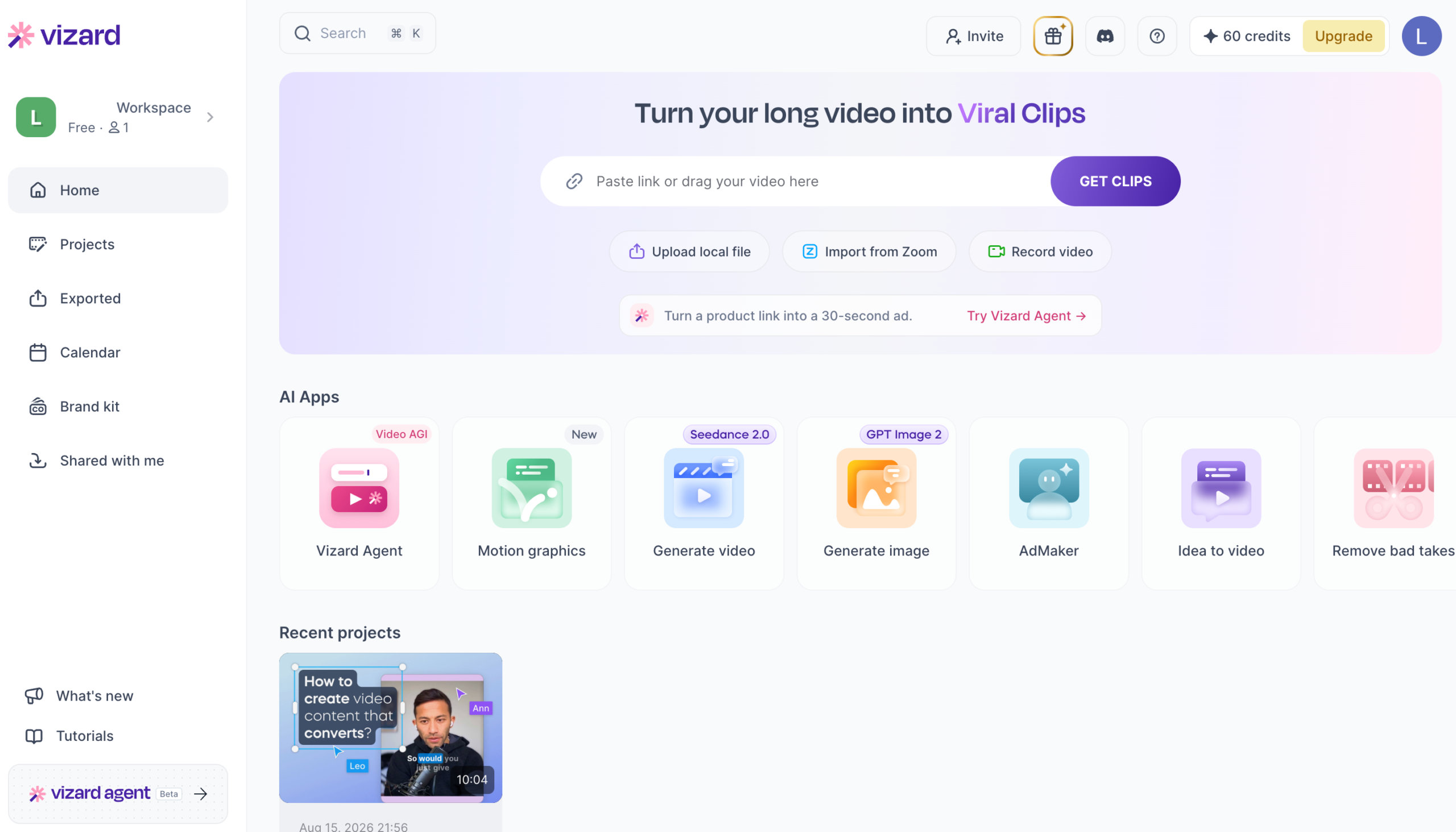
Vizard is an AI video editing platform designed to turn long-form videos into short, platform-ready clips. Ecommerce teams can use it to repurpose product demonstrations, webinars, customer interviews, podcasts, tutorials, and livestreams into content for TikTok, Instagram Reels, YouTube Shorts, LinkedIn, and other channels.
The platform uses AI to identify engaging moments, generate clips, add captions, resize videos, and prepare content for different social platforms. Vizard also provides ecommerce video tools that can turn product images, descriptions, links, and other product assets into promotional videos.
Quick Verdict
Vizard is a practical choice for ecommerce brands that already create long-form video and want to publish more short-form content without repeatedly editing every clip from scratch. It is especially useful for repurposing product demos, educational videos, founder content, interviews, and customer stories across multiple channels.
Its main strength is production efficiency rather than cinematic editing. The AI can accelerate clip selection and formatting, but marketers should still review every output for context, product accuracy, brand consistency, captions, and platform suitability before publishing.
Key Features
- AI clipping: Automatically identify useful moments in long videos and turn them into shorter social clips.
- Text-based editing: Edit video by working with the transcript instead of manually cutting every section on a timeline.
- Product video creation: Use product images, descriptions, links, and other assets to create ecommerce marketing videos.
- Automatic captions: Generate subtitles, apply caption styles, and improve accessibility and silent-viewing performance.
- Caption translation: Translate captions into multiple languages for international ecommerce campaigns.
- Social resizing: Reformat videos for vertical, square, and landscape placements across major platforms.
- AI enhancement: Add emojis, B-roll, visual elements, and suggested social captions to selected clips.
- Brand templates: Apply fonts, colors, logos, layouts, and reusable templates to maintain visual consistency.
- Social scheduling: Schedule or publish completed videos to supported social accounts from the platform.
- Team collaboration: Share projects and assets through team workspaces available on higher-tier plans.
Ecommerce Use Cases
- Product demonstrations: Turn longer product walkthroughs into short clips that focus on individual features or benefits.
- Paid-social creative testing: Produce multiple short video variations that can be reviewed and adapted for advertising campaigns.
- Organic social content: Repurpose webinars, livestreams, podcasts, and interviews into a consistent social publishing schedule.
- Customer testimonials: Extract the strongest moments from customer interviews, case studies, and review videos.
- Founder-led marketing: Convert longer founder videos into short educational, promotional, or opinion-driven clips.
- Product education: Break tutorials and onboarding videos into focused clips that answer specific customer questions.
- International campaigns: Translate captions and create localized versions for different ecommerce markets.
- Content distribution: Resize and adapt one source video for TikTok, Reels, Shorts, LinkedIn, and other channels.
Best For
Ecommerce content teams
Teams that regularly produce product demonstrations, tutorials, webinars, interviews, or educational videos and want to generate more content from each recording.
Social media marketers
Marketers who need a faster workflow for finding clips, adding captions, changing aspect ratios, and preparing content for multiple social channels.
Founder-led brands
Ecommerce founders and subject-matter experts who create long-form educational content and want to distribute it as shorter, more frequent posts.
Agencies and multi-brand teams
Teams that manage recurring video production for multiple clients or brands and benefit from shared workspaces, templates, and brand controls.
Advantages and Limitations
Advantages
- Reduces the manual work required to find useful moments in long videos.
- Helps ecommerce teams publish more content from each product demo, webinar, interview, or recording.
- Combines clipping, captions, resizing, translation, branding, and scheduling in one workflow.
- Supports both long-video repurposing and ecommerce product-video creation.
- Makes it easier to create variations for different channels, audiences, and campaign formats.
- Offers a free plan for testing the workflow before subscribing.
Considerations
- AI-selected clips still require human review for context, accuracy, pacing, and brand suitability.
- The strongest results generally come from clear, speech-led videos with useful source material.
- The free plan includes a watermark and limited project storage.
- Video generation, exports, and AI features consume credits, so usage costs increase with production volume.
- AI editing does not guarantee better advertising performance; creative strategy, targeting, offer quality, and testing still matter.
- Vizard is not a complete replacement for advanced cinematic editing or highly customized commercial production.
Pricing
Vizard offers Free, Creator, and Business options. The Free plan currently includes 60 credits per month, 720p exports, a watermark, limited project storage, and one connected social account. It is suitable for testing the editor and producing occasional clips.
Creator plans add more credits, higher-resolution exports, watermark removal, longer storage, social scheduling, and additional production capacity. Entry pricing may be around $14.50 per month with annual billing or approximately $29 on monthly billing, depending on the selected credit allowance.
Business plans are designed for teams and may include shared workspaces, brand controls, more connected social accounts, higher storage limits, and collaboration features. Pricing, credits, and plan limits can change, so check Vizard’s official pricing page before subscribing.
Our Take
Vizard is most valuable when an ecommerce business already has useful long-form video but lacks the time or editing resources to distribute it effectively. A single product webinar, interview, tutorial, or customer story can become multiple short clips for social media, product education, retargeting, and organic content.
The best workflow is to use Vizard for the first editing pass, then review the selected clips manually. Check that every product claim is accurate, captions are correct, the opening seconds are compelling, and the final format matches the intended platform. Used this way, Vizard can meaningfully increase content output without removing essential human quality control.
Frequently Asked Questions
Is Vizard free?
Yes. Vizard offers a limited free plan with monthly credits. Free exports may include a watermark, and projects are stored for a limited period.
Can Vizard turn long videos into TikTok, Reels, and Shorts?
Yes. Its AI clipping workflow is designed to identify moments from longer videos and format them as short clips for major social platforms.
Can Vizard create ecommerce product videos?
Yes. Vizard provides tools for creating videos from product images, descriptions, links, and other ecommerce assets in addition to repurposing existing videos.
Does Vizard add captions automatically?
Yes. It can generate subtitles and offers caption styling and translation features. Captions should still be reviewed for names, product terminology, prices, and technical language.
Can Vizard schedule social media posts?
Supported paid plans include scheduling or publishing features for connected social accounts. Available platforms and account limits depend on the selected plan.
Does the free plan remove the Vizard watermark?
No. Watermark-free exports are generally available on paid plans.
Is Vizard suitable for paid advertising?
Vizard can help create and adapt video assets for advertising, but every clip should be reviewed for licensing, product claims, platform requirements, branding, and campaign suitability before use.
Last reviewed: August 2026. Features, credits, and pricing may change. Visit the official website for current details.